AI sales automation examples include researching target accounts, qualifying inbound requests, preparing follow-ups, updating CRM records, and flagging stalled opportunities. A useful implementation defines the input, the permitted action, the human owner, and the condition that stops the workflow.
For a B2B company with 10–250 employees, the best starting point is usually one recurring sales job with a visible output. Choose the work your team can review and measure before connecting several workflows together.
This guide gives you ten practical designs and a worked example. They are illustrative implementation patterns, not customer case studies or a promise that every sales platform supports every step. Check your connections, plan, permissions, and trigger support before building them.
Which sales automation example should you start with?
- Reps lack useful account context: start with account research or meeting preparation. The first output can be an internal brief.
- Warm requests wait in a queue: start with lead triage and clear ownership.
- Follow-up gets lost: start with an owner task and a reviewed message draft.
- CRM data cannot be trusted: start with enrichment proposals and conflict review.
- Deals stall after meetings: start with next-step capture and a weekly exception report.
If you are choosing software as well as a workflow, use our AI sales automation tools comparison. The examples below focus on what to build and how to test it.
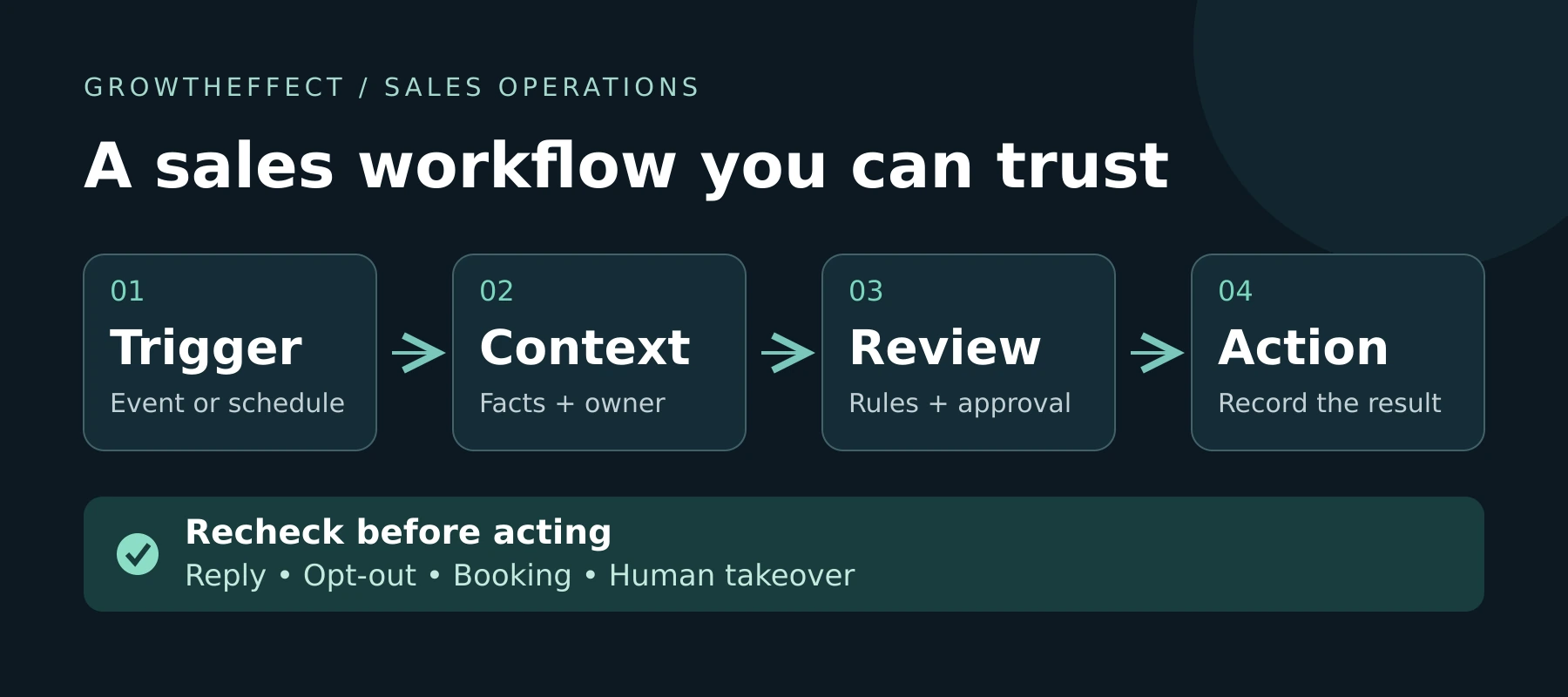
The reusable pattern: trigger, context, review, action
A workflow needs an explicit starting event or schedule. It also needs enough context to avoid acting on the wrong account, an approval boundary, and a record of what happened. Recheck the stop conditions immediately before any external action.
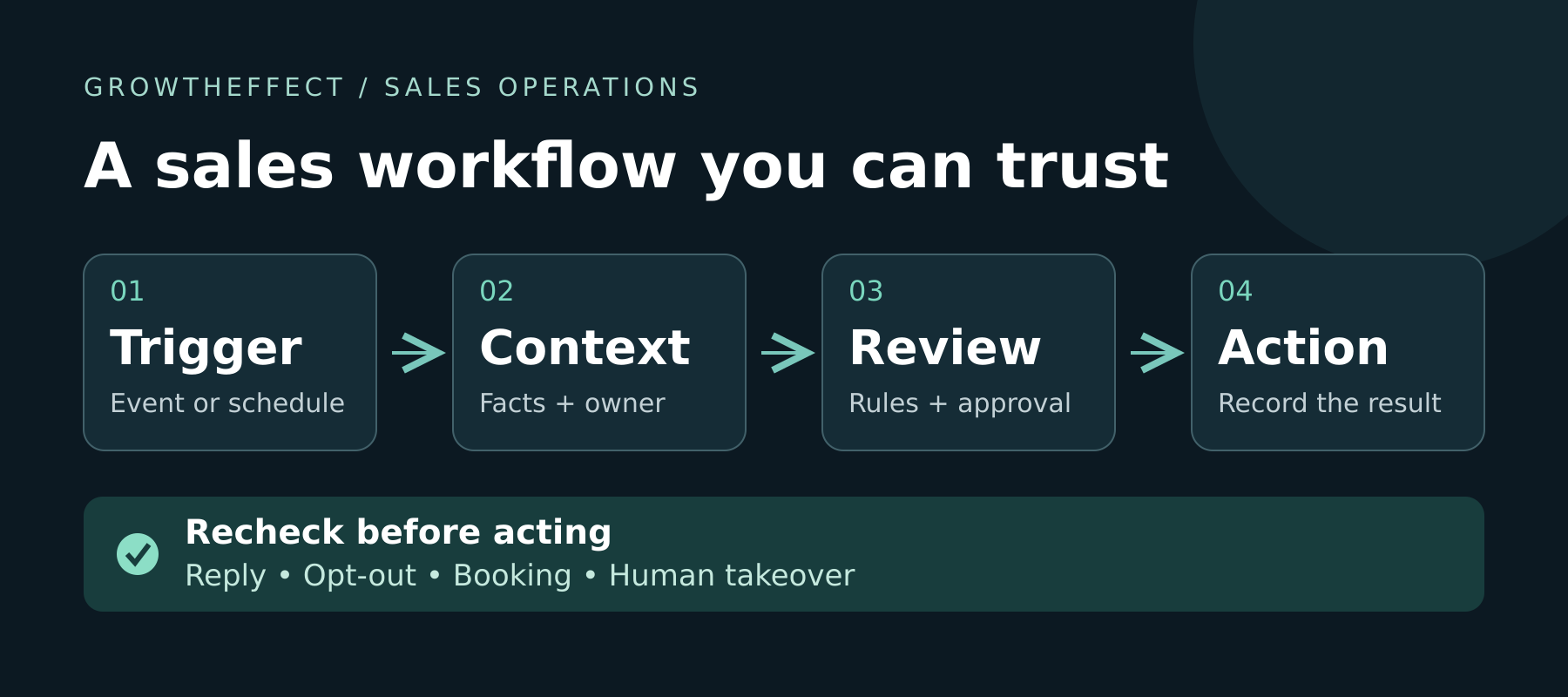
- Trigger: a verified form submission, a completed meeting, a changed CRM field, or a scheduled review.
- Context: the correct account and owner, prior activity, current company knowledge, exclusions, and source evidence.
- Review: check missing information, conflicting records, permitted actions, and any required approval.
- Action: create the approved output, record its result, and route exceptions to a named person.
A reply, opt-out, new meeting, active opportunity, or human takeover may change what is appropriate. Decide which conditions apply to each workflow rather than copying one global rule.
Repeated triggers deserve their own test. For example, HubSpot distinguishes initial enrollment from re-enrollment. In your own implementation, decide whether the same record should run once, on each new event, or only after a meaningful change. A repeated webhook should not create a second follow-up task for the same meeting.
10 AI sales automation examples for B2B teams
1. Inbound request triage and owner routing
Trigger: a new, identifiable sales request from a connected form or inbox.
Read the request and check for an existing account, open opportunity, and owner. Extract the buyer’s stated problem and timing. Separate those facts from assumptions about budget or purchasing authority. Use the team’s routing rules to propose the right owner and flag unanswered questions.
Output: a short intake note, an owner task, and an acknowledgement draft if needed. Keep the original request linked so the seller can inspect it.
Stop or review: an existing owner is already handling the request, the message is ambiguous, or the buyer asks about security, legal terms, or a negotiated price.
Measure: time to a useful response and the proportion of handoffs the assigned seller accepts. An automatic acknowledgement alone does not prove successful qualification. See our AI lead qualification guide for a deeper evidence-led approach.
2. Lead scoring with evidence and an unknown state
Trigger: a new lead or a meaningful update to its company or conversation data.
Evaluate company fit, the problem described, and the buyer’s next-step commitment separately. Attach a reason to each assessment. If company size is missing, keep it unknown rather than assigning the lowest score. If the person requests a demo, record that explicit request without assuming they own the budget.
Output: a suggested priority, supporting evidence, missing facts, and a recommended next action.
Stop or review: contradictory data, a strategic account, or insufficient evidence to reject a potentially relevant buyer.
Measure: seller acceptance and false-positive or false-negative decisions from reviewed samples. A precise-looking score is only useful if its underlying decisions stand up to inspection.
3. Account sourcing and research before outreach
Trigger: an approved target segment and a scheduled research run.
Find candidate companies, check the segment criteria, and compare them with existing customers, active opportunities, and excluded accounts. Research relevant stakeholders only after company fit is plausible. Record source URLs and dates for the facts that matter.
Output: an account brief with fit evidence, relevant people, open questions, and a proposed outreach angle.
Stop or review: stale evidence, a duplicate account, a missing buyer role, or a signal that does not actually support the proposed message.
Measure: accepted accounts per reviewed sample, factual corrections, and research time including human review. Our account research guide explains how to keep the brief useful to a seller.
4. Signal-based outreach preparation
Trigger: a verified company change that is relevant to an approved sales motion.
Check what changed and when. Then connect it to a reasonable question your product can help answer. An expansion announcement may justify investigating a new market; it does not prove the company has a specific operational problem or intends to buy.
Output: a concise draft with one relevant observation, a clearly framed hypothesis, and one next-step question.
Stop or review: the evidence is old, the account is already in another motion, the message invents a pain point, or sending is outside the approved scope.
Measure: evidence accuracy, draft acceptance, and qualified replies after an authorized test. Verify that a contact is eligible for the channel and respect suppression rules before sending.
5. Follow-up and reply handling
Trigger: an agreed follow-up date or a reply in a supported, connected channel.
Check the latest conversation before preparing another message. Route interested replies to the owner, turn an explicit later date into a task, and stop the relevant outreach when the person asks to stop. Send ambiguous replies for review rather than forcing them into a positive category.
Output: a reply summary, owner task, or permitted follow-up draft.
Stop or review: a reply, booking, opt-out, or takeover that invalidates the planned sequence. An out-of-office reply needs different handling from a buyer objection.
These controls are product-specific. HubSpot sequences include configurable reply and meeting unenrollment controls; that does not mean every connected tool detects every channel automatically. Its unenrollment documentation also explains that stopping a sequence affects future steps, not emails already sent.
Measure: correct reply classification, time to owner action, and messages mistakenly sent after a stop condition.
6. CRM enrichment without silent overwrites
Trigger: a record is missing an important field or has been selected for a data-quality review.
Research the missing fact, identify the source, and compare it with existing CRM values. Keep seller-confirmed information distinct from external estimates. A provider’s company-size range should not silently replace a recent value confirmed in a buyer conversation.
Output: proposed changes showing the current value, suggested value, evidence date, and reason.
Stop or review: conflicting sources, uncertain company identity, or fields your policy reserves for the owner. Prefer an exception queue over guessing.
Measure: accepted changes, reversals, duplicate records, and the proportion of required fields that remain verified. See our CRM automation guide for the wider routing and field-ownership design.
7. Meeting preparation from CRM and account context
Trigger: an upcoming sales meeting with an identifiable account.
Combine the stated agenda, recent CRM activity, prior commitments, and relevant account research. Keep the brief short enough to use before the call. Mark unanswered questions explicitly rather than presenting assumptions as discovery findings.
Output: a one-page brief covering why the meeting exists, what is known, who is attending, and three useful questions.
Stop or review: the account match is uncertain, the meeting is cancelled, or information would be shown to someone without access to it.
Measure: preparation time, factual corrections, and seller usefulness ratings. Never put internal deal notes into an external calendar description by default.
8. Post-meeting follow-up and next-step capture
Trigger: an authorized meeting transcript or approved notes become available.
Extract what the buyer actually said, the questions left open, and any agreed next step. Distinguish an agreed deadline from a seller’s suggested deadline. Prepare a recap and propose the relevant CRM changes.
Output: an internal summary, a task with an owner and due date when supported by the notes, and a follow-up draft.
Stop or review: the transcript is incomplete, the speaker is unclear, or the draft would promise pricing, product functionality, or delivery that was not approved.
Measure: missed commitments, corrections per recap, and tasks completed by their agreed date. A meeting being recorded does not by itself establish permission to share its contents broadly.
9. Closed-lost and dormant-account review
Trigger: a scheduled review of an approved CRM segment.
Read the previous conversation and loss reason. Check for a meaningful change, such as the timing the buyer asked you to revisit. Exclude opted-out contacts and resolve active ownership before considering outreach. A dormant record is a research candidate, not automatic permission to contact someone.
Output: a review list containing the reason to revisit, evidence, owner, and a draft where appropriate.
Stop or review: no new reason to talk, unavailable context, a product gap that is still unresolved, or an existing account conversation.
Measure: owner-approved reactivation opportunities and qualified conversations. Report these separately from the number of records scanned.
10. Pipeline exception reporting
Trigger: a scheduled pipeline review.
Look for opportunities with missing next steps, overdue buyer commitments, or conflicting stage information. Account for the sales cycle and stage before labeling an opportunity stalled. A long procurement review may be progressing exactly as expected.
Output: a short list of exceptions with evidence, the current owner, and a proposed next action.
Stop or review: incomplete activity history or an explanation the system cannot verify. Do not silently move stages, change forecast amounts, or mark deals lost.
Measure: useful exceptions resolved and missed commitments found, alongside false alarms. An alert count is not a pipeline outcome.
A worked example: one meeting, one reviewed follow-up
Fictional scenario: a 45-person B2B software company has four account executives. After a discovery call, its notes say the buyer wants a technical walkthrough and will invite an operations colleague. No date, budget, or purchasing authority was confirmed.
The team starts with example 8. The automation receives the meeting identifier, account record, approved notes, owner, and the company’s product information. It checks whether a task for this meeting already exists before creating another.
- Supported fact: the buyer requested a technical walkthrough.
- Unknown: the attendee’s authority, available dates, and budget.
- Internal task: ask the account owner to propose walkthrough times and confirm who should attend.
- Draft: “Thanks for the conversation. You mentioned bringing an operations colleague to a technical walkthrough. Which times work for you both, and is there a specific workflow you would like us to cover?”
- Review boundary: the owner checks the draft before it is sent. No meeting is booked and no CRM stage is advanced solely from this summary.
Test the failure paths as well as the ideal path: the same notes arrive twice, the buyer sends a new message, the meeting is cancelled, or the transcript cannot be read. The expected response is a skipped duplicate, a refreshed draft, a stopped task, or an explicit exception. None should become a silent “completed” result.
This example has no claimed customer outcome. It shows what evidence and controls a small team can inspect before enabling a live workflow.
How to test whether an automation is worth keeping
Start with historical examples and a small, approved live group. Include ordinary cases, missing data, duplicates, opt-outs, and unexpected replies. For external actions, keep review enabled until the team has evidence that the process behaves correctly.
- Quality: how many outputs were accepted without factual correction? Record the sample size and rejection reasons.
- Time: compare manual work with setup, review, maintenance, and exception-handling time. Include all of them in the cost.
- Safety: count duplicate actions, incorrect recipients, unauthorized changes, and actions after a stop condition.
- Commercial progress: follow accepted conversations through to attended meetings and sales-accepted opportunities. Keep booked, attended, and qualified stages separate.
Compare equivalent completed periods and similar account groups. A change in lead quality, seasonality, or routing can affect results alongside the automation. Do not treat a before-and-after difference as proof of causation.
For a website-led funnel, a pricing-page view, booking-link click, submitted form, confirmed booking, and qualified opportunity are different events. Reconcile completed bookings or requests with the source system before calling them conversions. If measurement is incomplete, report the gap rather than a confident ROI figure.
Where Vera fits
Vera is GrowthEffect’s AI sales agent for account research, prospecting, outreach, CRM work, meeting preparation, pipeline review, and recurring sales processes. Company Brain provides business context, while permissions and approval boundaries determine what it can do.
You can describe an outcome and review the proposed work before making it repeatable. GrowthEffect’s skills and automations documentation explains that new automations start disabled, can be simulated, and then reviewed before enabling. Scheduled work and supported configured events are different: not every external signal is an available webhook.
Use the examples here as a discussion brief. Ask which required tools are connected, what event starts the job, where review happens, and how the result is recorded. Confirm those details for your actual workspace rather than assuming each pattern is a built-in feature.
Book a Vera demo around one workflow your team wants to delegate, or review the current plans and usage allowances. Bring a representative, appropriately redacted example so you can evaluate the output against your own sales process.
Frequently asked questions
What is the difference between sales automation and AI sales automation?
Rule-based automation follows explicit conditions and actions. AI can help interpret unstructured information such as a buyer reply or meeting notes. Both still need reliable inputs, clear permissions, and a way to handle exceptions.
Which sales tasks should a small B2B team automate first?
Choose a recurring task with a clear owner and an inspectable output. Meeting briefs, research summaries, CRM change proposals, and follow-up drafts often make practical starting points because the team can review them before an external action.
Can these examples run across email, CRM, and meeting tools?
They can when the selected platform supports the required connections and actions. Verify account matching, event delivery, permissions, and stop rules in each system. A working connection to one tool does not establish access to another.
Does sales automation guarantee more pipeline?
No. It can improve execution, but results also depend on the offer, targeting, data quality, buyer demand, and human follow-through. Measure accepted outcomes and total operating cost rather than assuming that more activity means more revenue.
Reviewed October 14, 2026. Product-specific statements link to current first-party documentation. Workflow examples and evaluation recommendations are GrowthEffect’s illustrative guidance.
Leave a Reply