
If you are searching for sales automation examples, start with workflows that own a real sales job from trigger to handoff. The best AI sales automation examples are not generic “AI writes an email” demos. They are complete workflows: a trigger happens, the AI gets the right context, it takes a defined sales action, the CRM is updated, and a human takes over when judgment matters.
This guide gives you 10 copyable AI sales automation examples across inbound response, lead scoring, outbound prospecting, personalized outreach, follow-up, CRM reactivation, and human handoff. Use them as templates, not as one-click magic. The quality of each automation depends on your ICP, data, routing rules, offer, CRM hygiene, and guardrails.
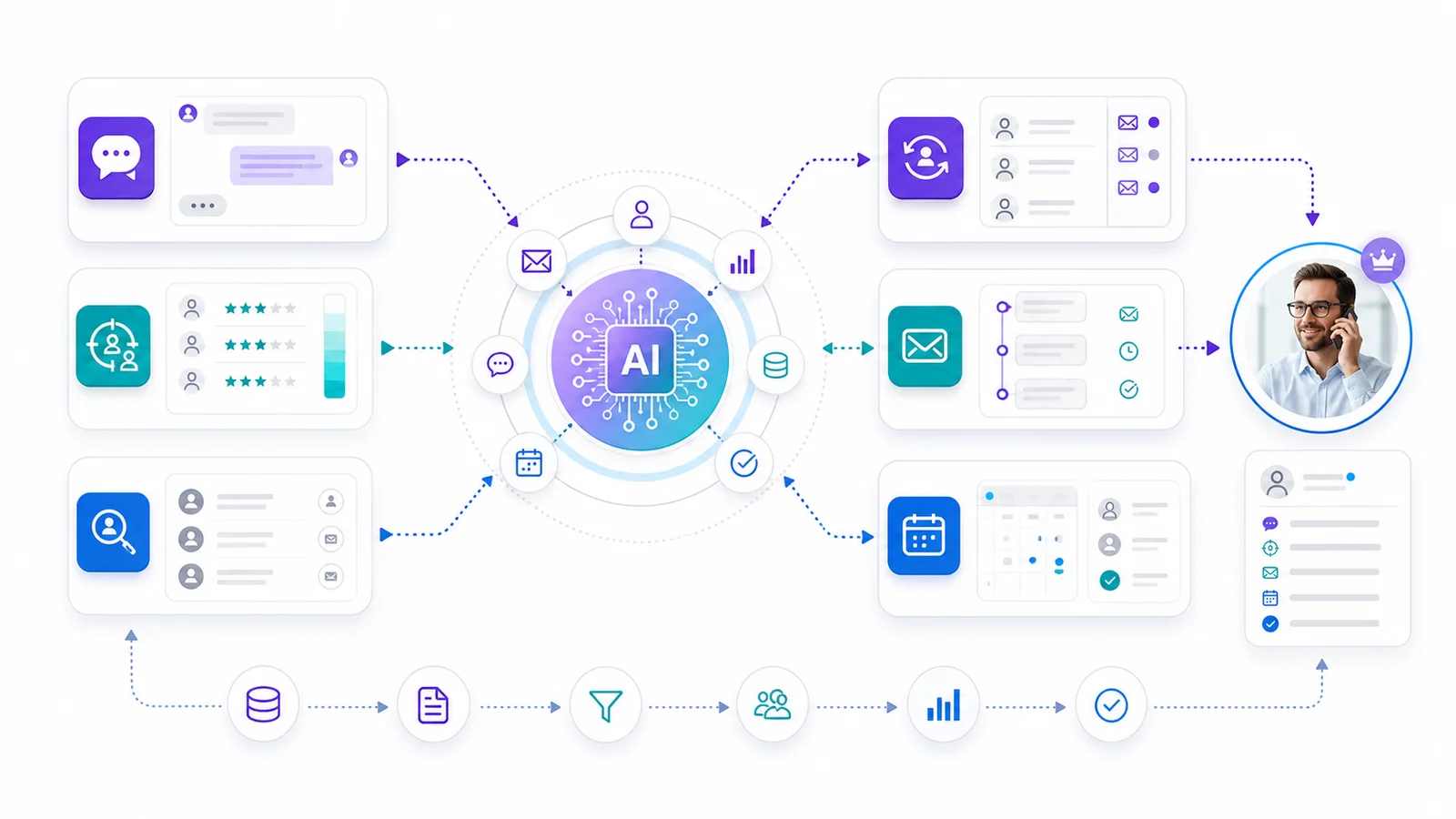
Key Takeaways
– AI sales automation should automate a defined sales job, not a vague task.
– The most useful examples follow the same pattern: trigger, context, decision, action, CRM update, and human handoff.
– Alim-style inbound automations should focus on speed, qualification, routing, and booking.
– Vera-style outbound automations should focus on sourcing, enrichment, scoring, research, personalization, follow-up, and pipeline creation.
– Do not automate outreach volume before you have clear ICP, clean data, message guardrails, and a stop rule.
The Copyable AI Sales Automation Framework
Before you copy any workflow, use this six-part structure.
| Workflow part | What it answers | Example |
|---|---|---|
| Trigger | What starts the automation? | New form submission, target account signal, reply, CRM stage change |
| Context | What information does the AI need? | ICP, offer, lead source, CRM history, website behavior, company data |
| Decision | What should the AI decide? | Qualify, score, route, personalize, follow up, escalate, pause |
| Action | What should happen next? | Send reply, ask question, create sequence, book meeting, update field |
| Human handoff | When should a person take over? | High intent, pricing objection, enterprise account, legal question |
| Stop rule | When should the automation stop? | Reply received, meeting booked, bad fit, unsubscribe, human takeover |
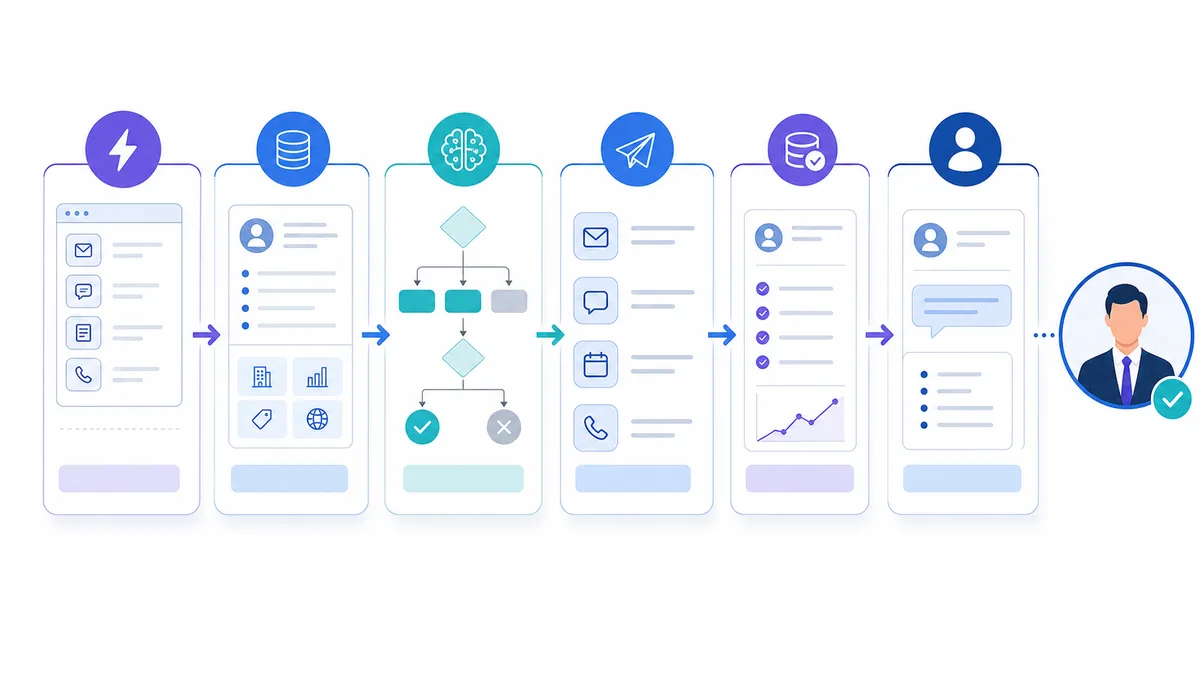
This matters because many sales automations fail at the same point: they define the action but not the judgment around the action.
For example, “send a follow-up email after three days” is not enough. A useful AI workflow asks:
- Did the prospect reply anywhere else?
- Did the lead visit a pricing page?
- Is the account a fit?
- Does the message need a different angle?
- Should the account be routed to a human instead?
- Should the workflow stop because the lead is disqualified?
HubSpot’s sales automation materials describe common sales automation tasks such as lead rotation, email follow-up sequences, meeting scheduling, CRM updates, task creation, lead scoring, and pipeline reporting. Salesforce’s Agentforce Sales page describes AI agents that can use CRM and business data for lead outreach, accurate responses, meeting booking, and opportunity updates. Those are useful building blocks. The operator question is how to assemble them into a workflow your sales team can actually trust.
Quick Map: Which AI Sales Automation Example Should You Copy?
Use this table to pick the right workflow.
| Sales problem | Copy this example | Best owner |
|---|---|---|
| Inbound leads wait too long | Instant inbound qualification | Alim-style inbound AI sales representative |
| Reps waste time on weak leads | Lead scoring and routing | RevOps plus inbound AI |
| Website visitors ask buying questions | Website chat to meeting workflow | Alim-style inbound AI |
| Outbound is inconsistent | ICP sourcing and enrichment | Vera-style outbound AI sales representative |
| Cold outreach sounds generic | Signal-based personalization | Vera-style outbound AI |
| Follow-up gets forgotten | AI follow-up and reply handling | Inbound or outbound AI, depending on source |
| Old CRM records sit untouched | CRM reactivation workflow | Vera-style outbound AI |
| Reps miss next steps after calls | Deal-stage task automation | CRM-native AI or RevOps workflow |
| Handoffs lose context | Qualified lead handoff package | Alim plus human closer |
| You need a full-funnel system | Outbound-to-inbound loop | Vera plus Alim |
The rest of the guide breaks each example into a copyable workflow.
Related GrowthEffect workflow
If your first workflow to automate is inbound response, Alim is the GrowthEffect AI sales representative built for instant response, qualification, routing, booking, and CRM handoff.
If your first workflow to automate is outbound prospecting, Vera is the GrowthEffect AI sales representative built for sourcing, enrichment, scoring, account research, personalized outreach, follow-up, and pipeline creation.
If you are not sure which workflow should come first, start with the GrowthEffect revenue leak scan to map whether the bottleneck is inbound speed, outbound execution, qualification, or CRM handoff.
Example 1: Instant Inbound Lead Qualification
Use this when: leads submit forms, send WhatsApp messages, use website chat, or contact you outside working hours.
This is the fastest first automation for teams with inbound demand. The goal is not to “chat.” The goal is to respond while intent is active, ask the right qualification questions, and route serious buyers to the right human.
For GrowthEffect, this is an Alim inbound AI sales representative workflow.
Step-by-step workflow
- Trigger the workflow when a new inbound lead arrives from a form, chat, WhatsApp, social DM, or email.
- Pull context from the CRM: lead source, company, campaign, page viewed, previous activity, country, language, and owner if one exists.
- Have the AI greet the lead in the right language and ask one qualification question at a time.
- Qualify against your actual sales rules: company size, need, budget range, timeline, decision process, and use case.
- Classify the lead as hot, warm, cold, or needs human review.
- If hot, offer calendar times or route the lead to the correct closer.
- If warm, continue nurturing with helpful follow-up.
- If cold, exit politely and update the CRM.
- Create a CRM note with the qualification summary and next step.
- Stop automation if the lead asks for a human, gives a sensitive legal/procurement question, or reaches a high-value threshold.
Copyable setup
Trigger: new inbound message or form submission. AI job: qualify, answer basic product questions from approved knowledge, route, and book. CRM fields to update: lead status, lead temperature, use case, urgency, budget band, meeting booked, owner, last conversation summary. Human handoff: pricing negotiation, enterprise account, security review, high-value deal, angry lead, custom contract question. Metric to track: response time, qualified lead rate, meeting booked rate, handoff acceptance rate, no-response rate.
Why this works
Most inbound teams lose pipeline because the lead is not handled while the buyer is still active. AI sales automation fixes the coverage gap, but only if the workflow has qualification logic and handoff rules. A generic chatbot that answers questions without routing or CRM updates does not solve the sales problem.
Example 2: Lead Scoring and Routing
Use this when: every lead reaches sales with the same urgency, or reps complain that leads are unqualified.
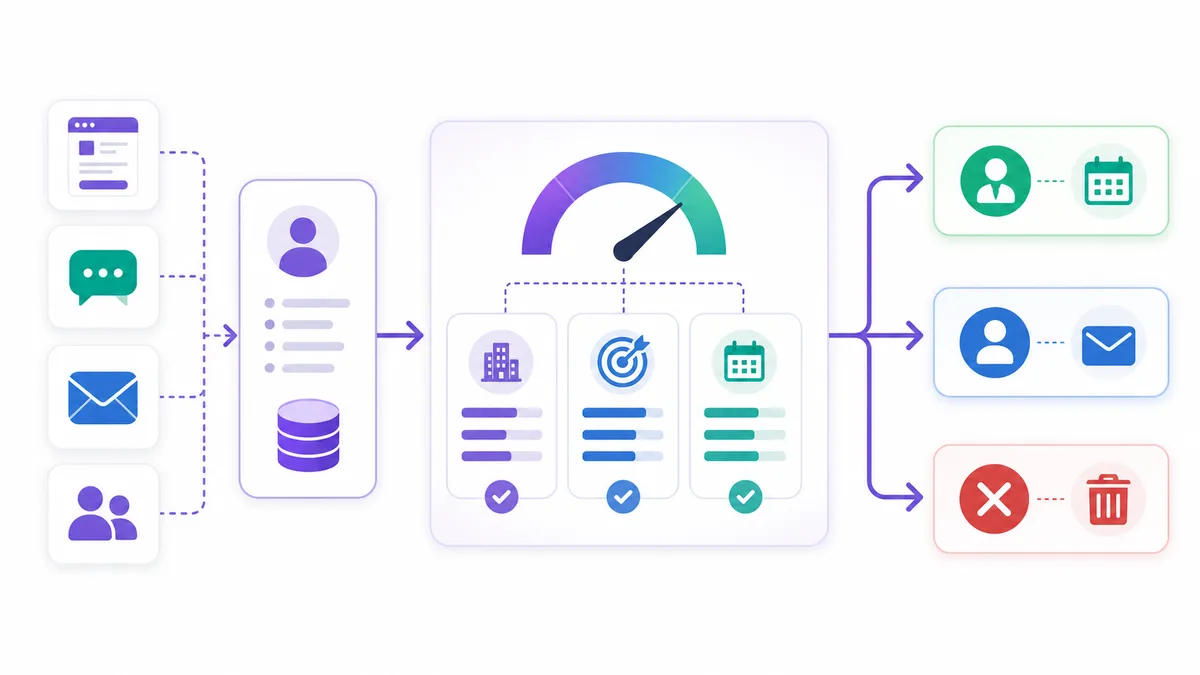
Lead scoring is one of the highest-value AI sales automation examples because it decides where sales attention should go. The workflow should combine fit, intent, and conversation quality.
Step-by-step workflow
- Trigger scoring when a new lead is created, a form is submitted, a chat conversation ends, or a contact reaches a behavior threshold.
- Enrich the account with company size, industry, location, website, role, and available CRM history.
- Score fit: ICP match, company type, team size, geography, sales motion, and deal potential.
- Score intent: pricing page views, demo requests, response language, urgency, pain clarity, and number of engaged stakeholders.
- Score readiness: timeline, budget, authority, problem severity, and next-step commitment.
- Assign a temperature: hot, warm, nurture, or disqualify.
- Route hot leads immediately to sales.
- Add warm leads to a nurture or follow-up workflow.
- Suppress bad-fit leads from sales queues.
- Write the scoring reason into the CRM so reps understand why the lead was prioritized.
Copyable scoring model
| Dimension | Signal | Score direction |
|---|---|---|
| Fit | Industry, company size, location, sales motion | Higher if it matches ICP |
| Intent | Demo request, pricing view, reply urgency | Higher if buyer is actively evaluating |
| Pain | Clear revenue problem or sales bottleneck | Higher if pain is specific |
| Readiness | Timeline and decision process | Higher if next step is near |
| Risk | Student, vendor, job applicant, unsupported market | Lower or disqualify |
Copyable prompt logic
Use this structure for your AI or RevOps workflow:
Evaluate this lead against our ICP and qualification rules.
Return:
1. Fit score from 1-5
2. Intent score from 1-5
3. Readiness score from 1-5
4. Lead temperature: hot, warm, nurture, or disqualify
5. One-paragraph reasoning for the CRM
6. Recommended next action

Do not mark a lead hot unless there is both fit and near-term buying intent.
Escalate to a human if the account is strategic or the buyer asks pricing, legal, security, or custom implementation questions.
Why this works
Scoring is not just prioritization. It is a control layer. Without it, automation either over-routes weak leads or hides good leads inside a general queue.
Example 3: Website Chat to Booked Meeting
Use this when: website visitors ask buying questions, but sales only sees the conversation later.
Website chat automation should not be a support script. For sales, the workflow should identify whether the visitor is a buyer, answer safe questions from your approved knowledge base, and move qualified visitors toward a booked meeting.
Step-by-step workflow
- Trigger when a visitor opens chat, asks a sales question, visits a pricing or product page, or submits a high-intent message.
- Identify language, page context, and referral source.
- Ask what the visitor is trying to solve.
- If the question is product-specific, answer from approved knowledge only.
- Ask one qualification question connected to the buyer’s stated problem.
- If fit and intent are high, offer a meeting.
- If the buyer is not ready, offer a relevant resource or ask permission to follow up.
- If the buyer asks a complex or sensitive question, route to a human.
- Save the transcript, summary, lead temperature, and next action to the CRM.
Copyable setup
Trigger: pricing page visit plus chat message, or product page chat question. AI job: qualify and book, not just answer. Knowledge needed: product pages, FAQ, qualification rules, disallowed claims, pricing guardrails, calendar rules. Human handoff: enterprise buyer, technical integration question, discount request, legal/security question. Metric to track: chat-to-lead conversion, chat-to-meeting conversion, missed handoff rate.
Example conversation path
- Visitor: “Can this work with our sales team?”
- AI: clarifies team size, sales motion, channel, CRM, and lead volume.
- AI: explains the relevant workflow at a high level.
- AI: asks whether they want to see the workflow using their pipeline.
- If yes, AI books or routes.
- If no, AI captures the next best follow-up.
This is where inbound AI should feel like a sales employee, not a popup.
Example 4: Outbound ICP Sourcing and Enrichment
Use this when: outbound is inconsistent because your team does not have a reliable list-building process.
Outbound automation should not start with email copy. It should start with account selection. If the list is wrong, AI only helps you send irrelevant messages faster.
For GrowthEffect, this is a Vera outbound AI sales representative workflow.
Step-by-step workflow
- Define the target segment: industry, geography, company size, sales motion, technology signals, hiring signals, funding signals, or trigger events.
- Source accounts that match the ICP.
- Enrich each account with company data, decision-makers, role, LinkedIn profile, website, and relevant context.
- Filter out poor-fit accounts before writing any message.
- Score accounts by fit and likely pain.
- Select the right persona for each account.
- Create a research brief for the account and person.
- Decide which accounts should enter outreach and which need manual review.
- Sync the approved list to CRM or sequencing workflow.
Copyable setup
Trigger: weekly outbound list build, new target market, campaign launch, CRM segment, or buying signal. AI job: source, enrich, filter, score, and summarize. Data needed: ICP rules, excluded industries, territories, existing customers, competitors, blocked domains, CRM duplicates. Human handoff: final approval for a new segment, strategic account review, compliance-sensitive industries. Metric to track: accepted account rate, bad-fit rate, duplicate rate, research accuracy, positive reply rate after launch.
Why this works
HubSpot’s sales automation materials and Salesforce’s Agentforce Sales page both point to the same pattern: outbound automation works best when account data, outreach logic, routing, and CRM context stay connected instead of living in disconnected tools. Competitors such as Apollo and AiSDR also position around that connected-workflow promise, but the operator lesson is broader than any single vendor.
Vera’s role in the GrowthEffect model is to own this outbound work: sourcing, enrichment, scoring, account research, personalized outreach, follow-up, and pipeline creation.
Example 5: Signal-Based Personalized Outreach
Use this when: outbound messages sound generic even when they are “personalized.”
Real personalization is not adding a first name, company name, and one scraped sentence. It is connecting a business signal to a reason to talk.
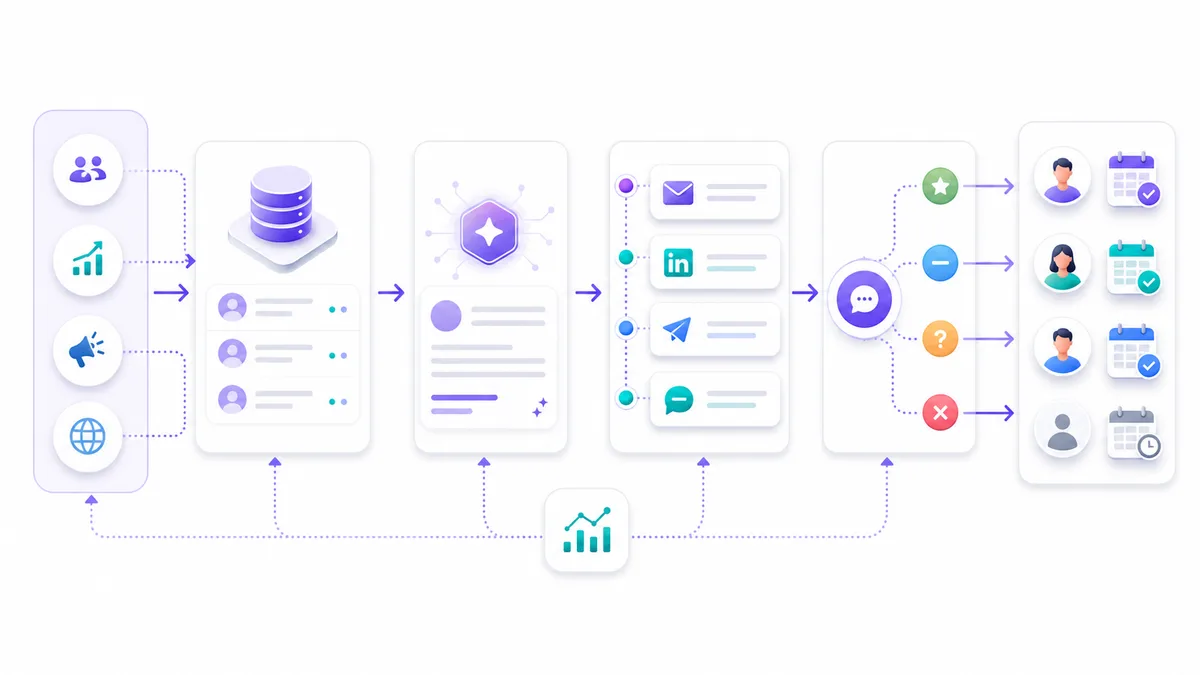
Step-by-step workflow
- Trigger when an account matches a signal: hiring, funding, expansion, new product launch, technology change, website traffic, content engagement, or CRM inactivity.
- Pull account and person context.
- Identify the likely pain connected to the signal.
- Choose one message angle.
- Write a short first-touch message based on the signal, not a generic pitch.
- Check the message against tone, compliance, and claim guardrails.
- Send or queue for human review, depending on risk level.
- Create follow-up variations that add context instead of repeating the same pitch.
- Stop if the prospect replies, unsubscribes, or becomes disqualified.
Copyable message structure
Subject: quick question

Hi [Name],

Noticed [specific business signal].

Usually when that happens, [relevant sales problem] starts showing up: [one concrete failure mode].

We help teams handle that with [short workflow outcome], without adding more manual SDR work.

Worth comparing notes?
Copyable AI instruction
Write a first-touch outbound message using only the approved account research.
Use one business signal.
Do not mention a signal unless it is specific and relevant.
Do not invent metrics, customers, job titles, funding, technologies, or intent.
Keep the message under 90 words.
Use a calm operator tone.
End with a low-friction question.
Why this works
The AI is not just writing copy. It is deciding which signal matters, which pain the signal implies, and which message angle is worth testing.
That is the difference between outbound automation and mass email generation.
Example 6: AI Follow-Up and Reply Handling
Use this when: reps send one message and forget the rest, or every reply gets treated the same.
Follow-up is where many sales teams leak pipeline. The automation should adapt to behavior and replies, not just wait a fixed number of days.
Step-by-step workflow
- Trigger after a sent message, missed meeting, opened email, clicked link, partial form submission, or unanswered inbound conversation.
- Check whether the person replied in any channel.
- If no reply, send a follow-up with a new angle.
- If there is engagement but no reply, notify the owner or adjust the next message.
- If the prospect replies with interest, summarize and route to a human or book.
- If the prospect objects, classify the objection and respond only if the answer is approved.
- If the prospect is not a fit, stop and update CRM.
- If the prospect asks to stop, suppress future outreach.
Copyable reply categories
| Reply type | AI action | Human action |
|---|---|---|
| Interested | Ask next qualifying question or offer times | Take over if strategic |
| Not now | Ask permission for future follow-up | Review timing |
| Objection | Answer from approved knowledge | Take over for pricing/legal/security |
| Referral | Ask for the right contact | Update CRM |
| Bad fit | Exit politely | None |
| Stop/contact removal | Stop automation | Ensure suppression |
Copyable setup
Trigger: no reply after X days, email click, inbound reply, LinkedIn reply, missed meeting. AI job: classify, respond, route, pause, or stop. Data needed: prior messages, account context, approved objection handling, CRM owner, calendar rules, suppression policy. Metric to track: reply classification accuracy, positive reply rate, human takeover rate, suppressed contact compliance.
Why this works
Fixed follow-up sequences treat every buyer the same. AI follow-up should adapt based on the conversation and the account context.
Example 7: CRM Reactivation Workflow
Use this when: your CRM has old leads, closed-lost deals, stalled opportunities, or contacts that were never followed up properly.
CRM reactivation is a strong use case because the accounts already know you. The mistake is blasting all old contacts with one generic “checking in” message.
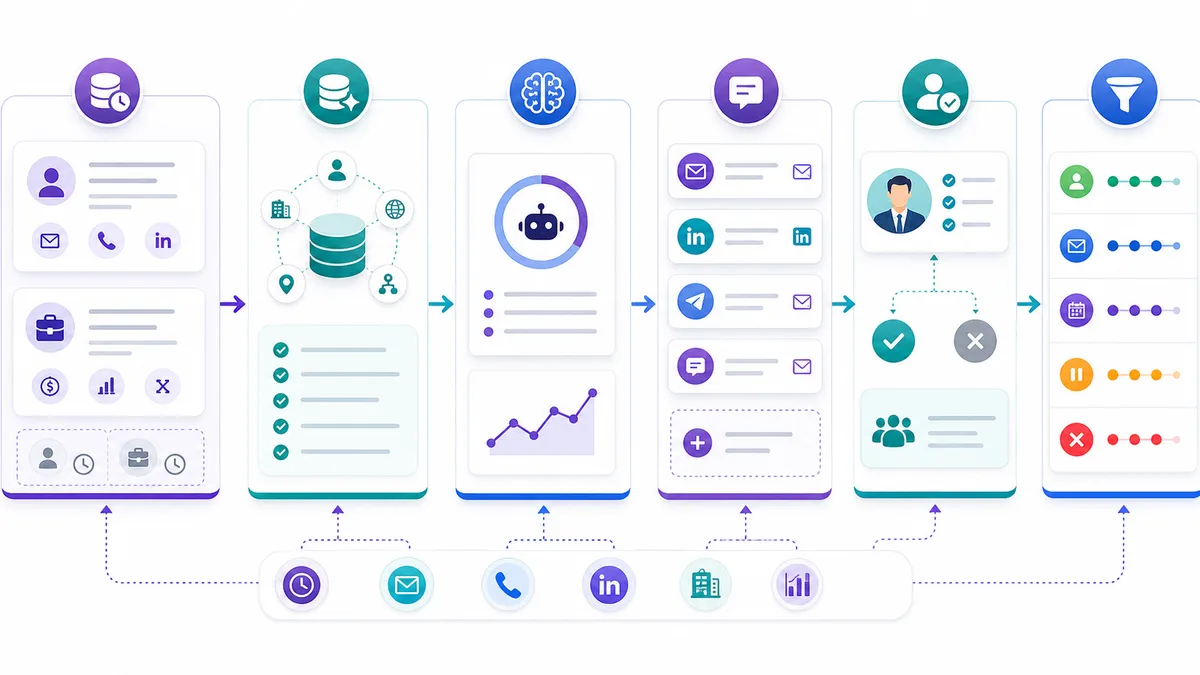
Step-by-step workflow
- Trigger on a CRM segment: closed-lost, no activity in 90 days, old demo request, dormant SQL, past pricing conversation, or inactive opportunity.
- Exclude customers, active opportunities, unsubscribed contacts, and bad-fit records.
- Pull history: last conversation, reason lost, product interest, company changes, owner notes, and past objections.
- Enrich the account with current company context.
- Decide the reactivation angle: new timing, unresolved pain, changed company context, new stakeholder, or helpful resource.
- Draft a message that references the prior context without sounding automated.
- Route high-value accounts to human review.
- Send low-risk reactivation messages.
- If the lead responds, classify and route.
- Update CRM with the outcome.
Copyable reactivation message
Hi [Name],

We spoke a while back about [prior problem or use case].

I noticed [new context or relevant change], so I wanted to check whether [problem] is still on your list for this quarter.

If yes, I can send over a simple workflow for how teams are handling it now.
Why this works
Old CRM records usually fail because nobody knows where to start. AI can read the historical context, decide the right angle, and turn stale records into a controlled reactivation campaign.
Example 8: Meeting Booking and No-Show Recovery
Use this when: interested leads say yes but meetings do not get booked, or booked meetings do not happen.
Meeting booking automation should remove friction without pretending to close the deal. It should help qualified buyers reach the right human at the right time.
Step-by-step workflow
- Trigger when a lead is marked hot, asks for a demo, responds with interest, or clicks a scheduling link without booking.
- Confirm the use case and urgency.
- Offer calendar options or send the correct booking link.
- Add a short meeting context note to the calendar event.
- Send a confirmation message with the agreed agenda.
- If the lead does not book after expressing interest, follow up once with a shorter path.
- If the lead no-shows, send a polite recovery message and offer new times.
- If the lead no-shows twice, route to nurture or human review.
Copyable setup
Trigger: demo request, interested reply, hot lead score, clicked scheduler but no booking, no-show. AI job: book, remind, recover, and summarize. Data needed: owner calendar, routing rules, use case, lead source, qualification summary. Human handoff: once a meeting is booked or if the buyer asks a sales-specific question before booking. Metric to track: interest-to-booking rate, no-show rate, rescheduled meeting rate, meeting acceptance rate.
Why this works
Many teams think the hard part is generating interest. But a surprising amount of pipeline dies between “sounds interesting” and “meeting booked.” AI automation can protect that gap.
Example 9: Deal-Stage Next-Step Automation
Use this when: reps forget the next task after a discovery call, proposal, negotiation, or demo.
This is not a replacement for a closer. It is a guardrail that keeps the sales process from stalling.
Step-by-step workflow
- Trigger when a deal stage changes or a call transcript is added.
- Summarize the buyer’s stated pain, stakeholders, objections, timeline, and agreed next step.
- Update structured CRM fields where confidence is high.
- Create the next task for the owner.
- Suggest a follow-up email based on the call.
- Flag missing information such as decision criteria, budget, authority, or timeline.
- If the opportunity is high value or low confidence, create a review task instead of auto-updating everything.
Copyable setup
Trigger: deal stage change, call completed, meeting note added, proposal sent. AI job: summarize, update, create next task, and flag risk. Data needed: transcript, CRM fields, sales stage definitions, required exit criteria. Human handoff: always the deal owner; AI supports the next step, it does not own closing. Metric to track: stage hygiene, task completion rate, stale opportunity count, missing-field rate.
Why this works
Salesforce describes AI sales agents that can synthesize unstructured conversation data into structured opportunity field updates and operate in suggestive or autonomous modes. That distinction is important. For deal-stage automation, most teams should start with suggestive mode until they trust field quality.
Example 10: Full-Funnel AI Sales Automation Loop
Use this when: you need one connected system for outbound creation, inbound capture, qualification, follow-up, and human handoff.
This is the strongest GrowthEffect-style example because it separates the sales jobs clearly.
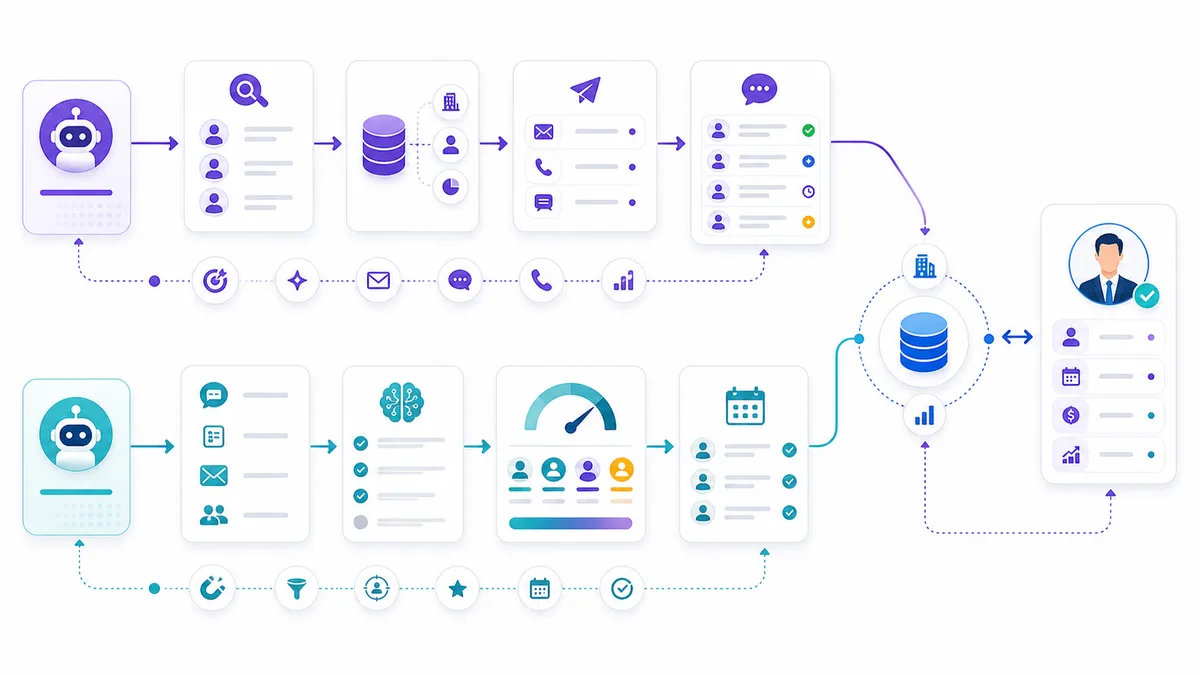
Vera creates outbound pipeline. Alim captures and qualifies inbound demand. Humans close qualified conversations.
Step-by-step workflow
- Vera builds the outbound list from ICP rules.
- Vera enriches accounts and scores fit.
- Vera researches each account and writes personalized outreach.
- Vera sends or queues outreach based on review rules.
- Vera handles early outbound replies and classifies interest.
- If the prospect becomes active through website chat, form, WhatsApp, or email, Alim handles inbound qualification.
- Alim asks qualification questions and updates the CRM.
- If the lead is qualified, Alim books or routes to the right human closer.
- The human receives a handoff package: source, context, pain, use case, qualification, objections, and suggested next step.
- After the meeting, CRM-native automation keeps the opportunity clean.
Copyable operating model
| Sales job | AI owner | Human owner |
|---|---|---|
| Outbound sourcing | Vera | Approves segment strategy |
| Enrichment and scoring | Vera | Reviews strategic accounts |
| Personalized outreach | Vera | Approves risky or high-value campaigns |
| Inbound response | Alim | Takes over complex buyer conversations |
| Qualification | Alim | Confirms edge cases |
| Meeting booking | Alim | Attends and closes |
| Deal strategy | None | Human seller |
| Negotiation and closing | None | Human seller |
Why this works
The full-funnel model avoids a common automation mistake: forcing one workflow to do every job.
Inbound and outbound are different motions. They need different triggers, context, questions, and handoff rules. When you separate the roles, automation becomes easier to govern.
What Not to Automate First
Some sales tasks look easy to automate but are dangerous when the underlying process is unclear.
Do not automate these first:
- Large outbound volume before ICP validation.
- Pricing negotiation.
- Legal, procurement, or security answers without approved content.
- Discount approval.
- Complex enterprise discovery.
- Deal closing.
- Any workflow where the CRM data is known to be wrong.
- Any message sequence without unsubscribe and suppression handling.
AI sales automation should increase consistency, not remove judgment from moments where judgment is the point.
Implementation Checklist
Use this checklist before launching any of the examples above.
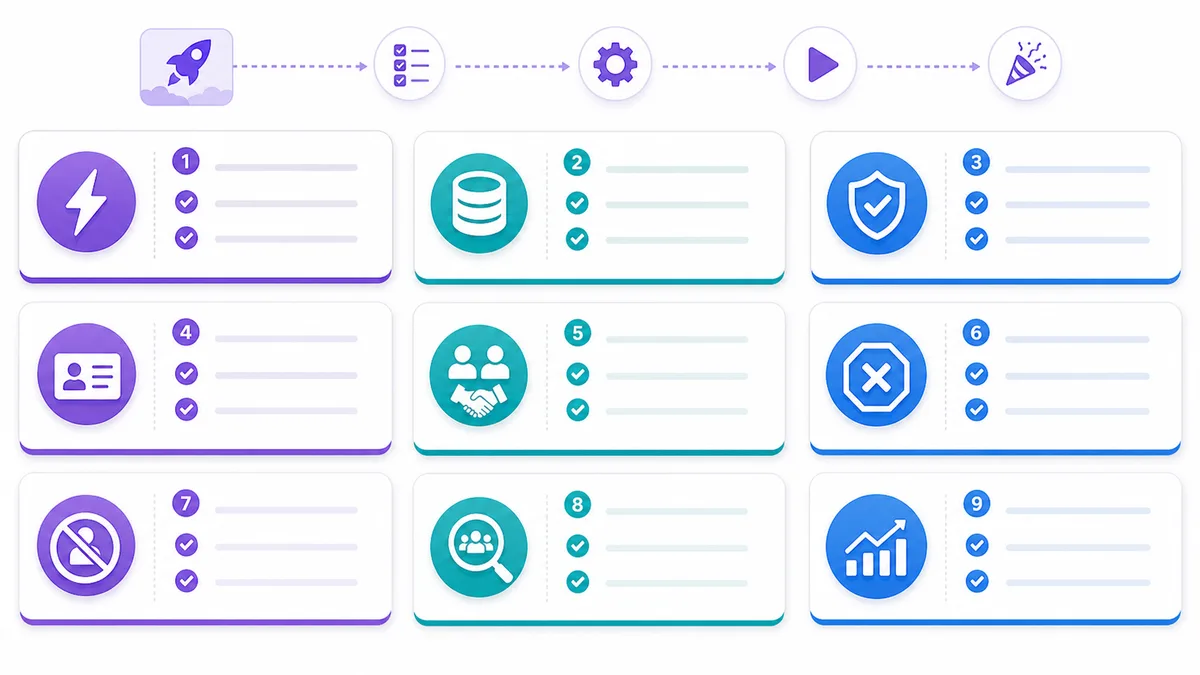
| Checklist item | Why it matters |
|---|---|
| Clear trigger | Prevents random automation starts |
| ICP rules | Stops bad-fit leads from receiving attention |
| Approved knowledge | Prevents invented claims |
| CRM field map | Keeps reporting clean |
| Human owner | Ensures handoff does not disappear |
| Stop rule | Prevents spam, bad UX, and duplicate outreach |
| Suppression policy | Protects unsubscribes and do-not-contact records |
| QA sample set | Lets you test before scaling |
| Success metric | Shows whether the automation improved revenue workflow |
Start with one workflow, test it on a small controlled segment, review outputs, then scale.
How GrowthEffect Fits These Examples
GrowthEffect is built for teams that do not want another dashboard humans must remember to operate. The model is to hire digital sales employees for first-touch sales work.
Use Alim when the workflow is inbound:
- instant response
- qualification
- routing
- calendar booking
- CRM handoff
- warm lead follow-up
Use Vera when the workflow is outbound:
- ICP sourcing
- enrichment
- account research
- lead scoring
- personalized outreach
- follow-up
- CRM reactivation
Use both when the business needs full-funnel coverage: Vera creates new qualified conversations, Alim captures and qualifies inbound demand, and humans focus on closing.
If you want to choose the first workflow to automate on your actual funnel, book a GrowthEffect demo and map these examples against your inbound response time, outbound pipeline quality, CRM handoff, and follow-up gaps.
If the bottleneck is still unclear, start with the GrowthEffect revenue leak scan before you automate more steps.
FAQ
What are AI sales automation examples?
AI sales automation examples are repeatable workflows where AI handles part of the sales process, such as inbound response, qualification, lead scoring, outreach personalization, follow-up, CRM updates, meeting booking, or handoff preparation.
What sales tasks should I automate first with AI?
Start with repetitive tasks that are tied directly to revenue: inbound response, lead routing, follow-up, lead scoring, CRM reactivation, and outbound research. Avoid complex negotiation or legal answers until the guardrails are mature.
Can AI automate outbound sales?
Yes, but the best outbound workflows start with ICP, data, enrichment, and signal quality before message generation. AI should not simply send more emails. It should find better-fit accounts, research them, personalize outreach, follow up, and stop when the prospect replies or opts out.
Can AI automate inbound lead qualification?
Yes. Inbound AI can respond quickly, ask qualification questions, answer approved product questions, route hot leads, book meetings, and update the CRM. Humans should still handle complex sales conversations, negotiation, and strategic accounts.
What is the difference between sales automation and AI sales automation?
Traditional sales automation usually follows fixed rules, such as “if this happens, send that email.” AI sales automation adds interpretation: classify replies, score fit and intent, summarize conversations, personalize outreach, and decide when a human should take over.
How do I know if an AI sales automation workflow is working?
Track workflow-specific metrics: response time, qualified lead rate, meeting booking rate, positive reply rate, handoff acceptance, CRM field completeness, stale opportunity count, and suppression compliance. If the metric does not connect to pipeline quality, it is probably not the right success metric.
Leave a Reply