
AI sales workflows are repeatable sales processes where AI handles a defined job, uses CRM and buyer context, triggers the next action, updates the record, and hands off to a human when judgment is needed. The best workflows do not automate selling end to end. They remove the delays, manual research, inconsistent follow-up, and CRM admin that keep reps away from qualified conversations.
For B2B teams, the practical starting point is not “add AI everywhere.” It is to map the revenue leaks first: slow inbound response, weak lead qualification, poor outbound targeting, generic personalization, missed follow-ups, stale CRM fields, and unclear handoff rules.
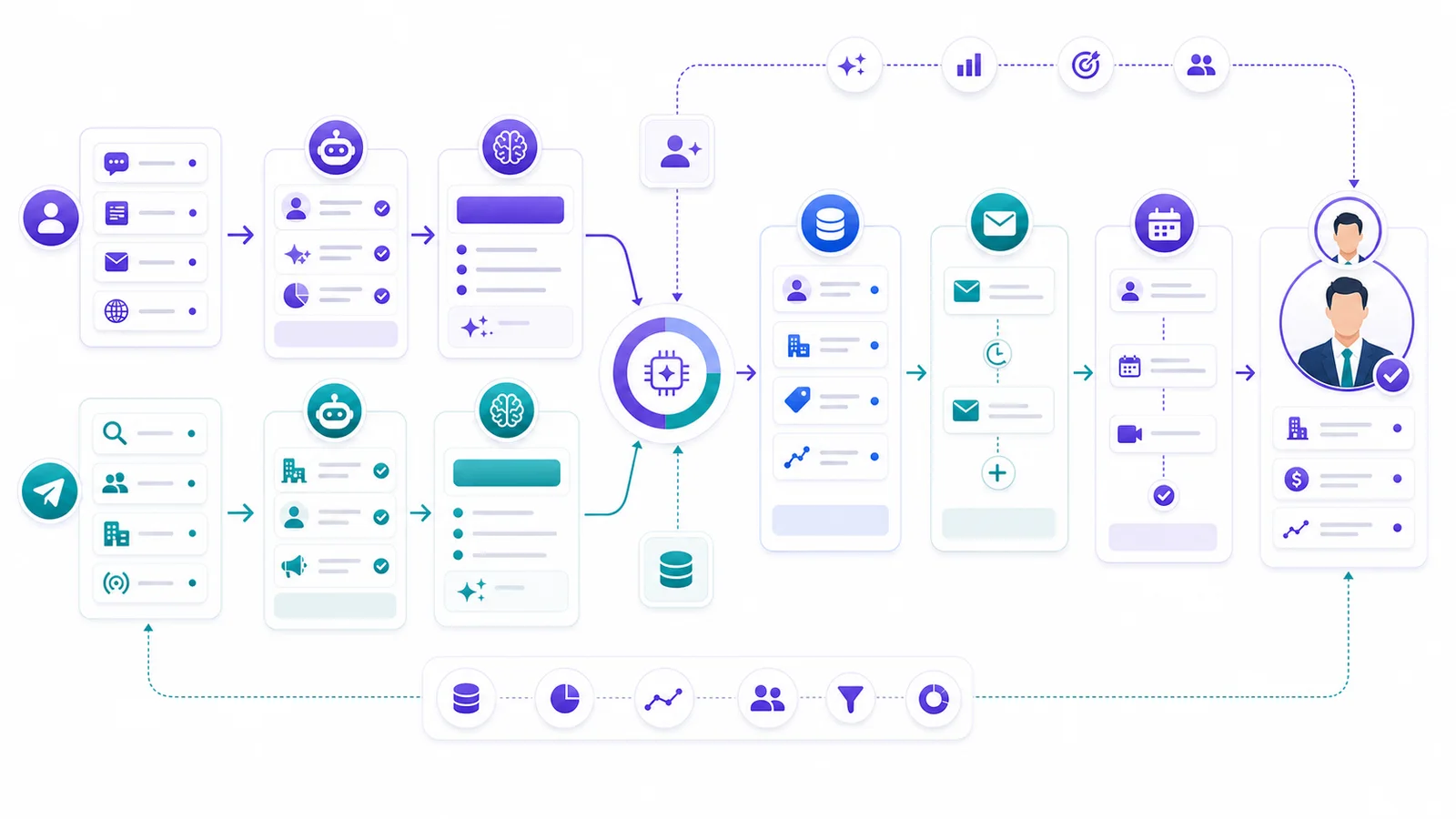
Key Takeaways
– AI sales workflows work best when each workflow has a clear trigger, data source, AI action, human handoff, CRM update, metric, and guardrail.
– Inbound workflows should be owned by Alim-style processes: response, qualification, routing, booking, and CRM sync.
– Outbound workflows should be owned by Vera-style processes: sourcing, enrichment, scoring, research, personalization, sequences, and follow-up.
– Shared workflows belong in CRM and handoff logic: summaries, field hygiene, deal-risk alerts, next steps, and reactivation.
– AI should not remove humans from complex judgment. It should make human intervention earlier, better informed, and easier to measure.
What Makes an AI Sales Workflow Actually Useful?
A useful AI sales workflow has seven parts.
| Component | What it answers | Why it matters |
|---|---|---|
| Trigger | What starts the workflow? | Prevents vague automation that runs at the wrong time |
| Data/context | What does AI know before acting? | Prevents generic copy, bad scoring, and weak routing |
| AI action | What work does AI perform? | Keeps the workflow tied to an actual sales job |
| Human handoff | When does a person step in? | Keeps judgment, trust, and negotiation with the team |
| CRM update | What gets written back? | Makes the workflow auditable and reportable |
| Success metric | How will the team judge it? | Avoids “AI activity” with no revenue signal |
| Failure guardrail | What blocks or escalates risky output? | Reduces bad data, bad messages, and unsafe automation |
This structure is the difference between a workflow and a feature demo.
HubSpot’s sales workflow guidance frames AI automation around repetitive work, routing, personalization, and CRM actions across the funnel. Apollo’s workflow documentation describes workflows as trigger-based systems that can automate prospecting and operational actions. Salesforce positions Agentforce Sales around AI agents that work inside CRM context. Those are useful references, but the operator question is still the same: which sales job are you assigning, and how will you know it worked?
GrowthEffect uses a more direct split:
- Alim handles inbound AI sales workflows: response, qualification, routing, booking, and CRM sync.
- Vera handles outbound AI sales workflows: sourcing, enrichment, scoring, research, personalized outreach, and follow-up.
- Shared CRM workflows support both: handoff notes, field updates, owner assignment, deal risk, reporting, and reactivation.
That separation matters. Inbound and outbound look similar in a CRM, but they are different sales jobs. A demo request is not a cold account. A LinkedIn prospect is not a form fill. A warm website lead should not be treated like a cold sequence target.
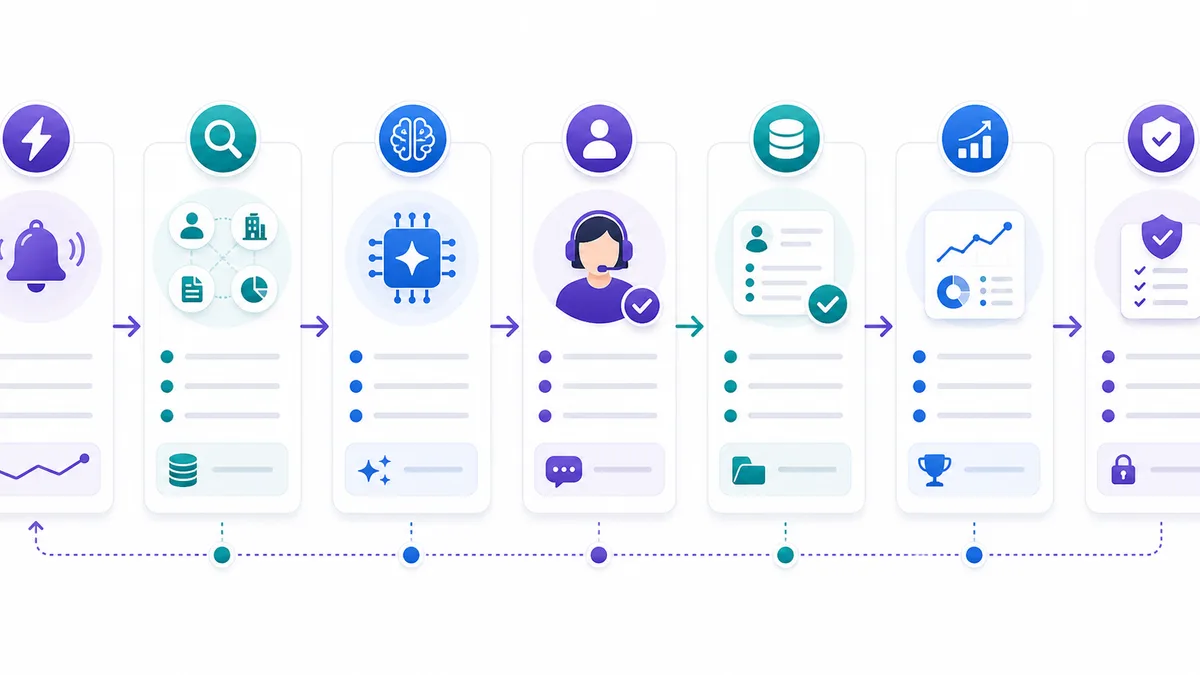
11 AI Sales Workflows B2B Teams Can Copy
The workflows below are written as operating recipes, not abstract ideas. Use them as a starting library, then adapt fields, routing rules, channels, and review thresholds to your CRM and sales motion.
1. Inbound Demo Request Qualification
This is the first AI sales workflow most B2B teams should fix. A demo request is high-intent, but it often enters a form queue, gets a generic autoresponder, and waits for a rep to qualify it manually.
Trigger: A visitor submits a demo request, contact form, pricing inquiry, or high-intent lead form.
Data/context: Form fields, page source, company domain, lead source, UTM values, CRM history, company size, country, requested product, and known account owner.
AI action: Alim responds immediately, confirms the request, asks only the missing qualification questions, classifies the lead as hot, warm, or low-fit, and prepares the next step. For a qualified inbound lead, the AI should keep the conversation short and move toward booking or routing.
Human handoff: Hand off when the lead is high-intent, enterprise-size, asking pricing-sensitive questions, requesting procurement terms, or showing urgency. The human should receive a concise summary, not a raw transcript dump.
CRM update: Create or update the contact, company, lead source, lifecycle stage, qualification status, product interest, urgency, disqualification reason if relevant, and owner assignment.
Success metric: Median response time, demo request to booked meeting rate, qualified lead rate, and no-response rate after form submission.
Failure guardrail: Do not invent pricing, discounts, technical commitments, or availability. If key fields are missing, ask one or two clarifying questions instead of forcing a score.
This workflow belongs to Alim, not Vera. It is inbound lead handling, not outbound prospecting.
2. Speed-to-Lead Routing for Hot Inbound Leads
Qualification is not enough if ownership is unclear. A hot lead can still die if it lands with the wrong person, in the wrong queue, after working hours.
Trigger: An inbound lead hits a hot threshold based on form intent, company fit, buying language, repeat visits, or direct request to speak with sales.
Data/context: Lead score, territory, language, account owner, deal size estimate, ICP tier, business hours, calendar availability, and previous conversations.
AI action: Alim identifies the best route: book directly, notify the assigned owner, escalate to a sales manager, or keep nurturing. It summarizes why the lead is hot and what the human should do next.
Human handoff: Route to a human when the lead asks for a sales conversation, mentions budget/timeline, represents a strategic account, or has a complex buying committee.
CRM update: Update owner, SLA status, lead temperature, routing reason, next activity, and meeting status. If the lead is not ready, set a nurture reason and follow-up date.
Success metric: Hot lead response SLA, hot lead to meeting conversion, routed lead acceptance rate, and misrouted lead rate.
Failure guardrail: Never reassign owned accounts without a rule. If ownership is ambiguous, notify the current owner and sales manager instead of silently changing records.
3. Inbound Conversation Summary and Meeting Prep
Reps often join calls with incomplete context. The lead already explained the problem in chat, email, or WhatsApp, but the AE sees only a name and a meeting time.
Trigger: A qualified inbound lead books a meeting or gets routed to a human.
Data/context: Conversation transcript, qualification answers, source page, product interest, objections, requested timeline, CRM history, and known stakeholders.
AI action: Alim turns the conversation into a structured sales brief: pain, use case, urgency, fit, open questions, objections, recommended discovery angle, and suggested next step.
Human handoff: The AE receives the brief before the meeting. A manager gets alerted only for large, high-risk, or strategic opportunities.
CRM update: Add meeting prep notes, qualification fields, next-step task, meeting source, and any missing firmographic fields.
Success metric: Rep prep time saved, show rate, discovery-to-opportunity conversion, and percentage of meetings with complete prep notes.
Failure guardrail: Separate facts from AI inference. Mark uncertain items as “needs confirmation” so the rep does not treat assumptions as buyer statements.
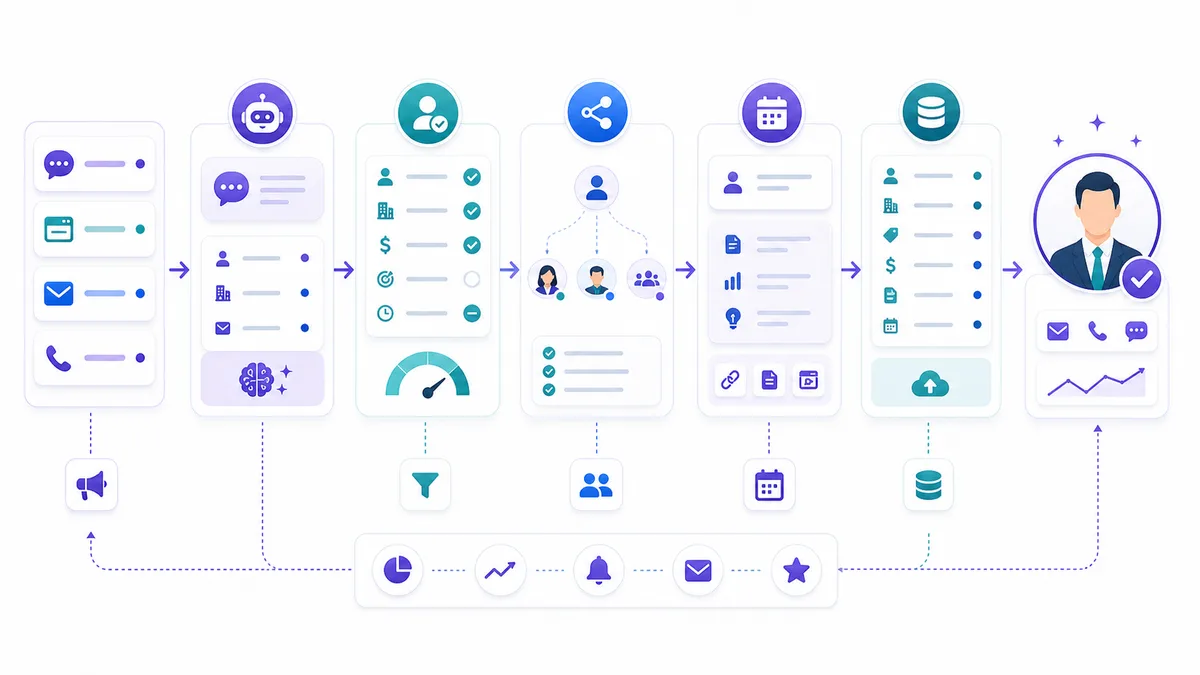
4. ICP-Based Outbound Account Sourcing
Outbound fails when list building is treated as a volume task. AI can help, but only if the workflow begins with a real ICP instead of a vague title search.
Trigger: A campaign is launched for a target segment, market, industry, geography, or offer.
Data/context: ICP definition, excluded accounts, existing customers, open opportunities, target industries, headcount range, region, revenue signals, technologies, job titles, and disqualification rules.
AI action: Vera builds a target account and prospect list, applies hard filters, removes obvious bad fits, and groups targets by segment or outreach angle.
Human handoff: The campaign owner reviews the ICP interpretation, sample accounts, exclusion logic, and first segment before scale.
CRM update: Create or update account and lead records, campaign membership, source tags, ICP tier, exclusion reason, and deduplication status.
Success metric: Accepted account rate, percentage of sourced leads matching ICP, duplicate rate, and bad-fit suppression rate.
Failure guardrail: Do not send outreach from a list until exclusions, duplicates, customer conflicts, and competitor/sensitive-account rules are checked.
This is a Vera workflow. Alim should not own proactive sourcing because inbound qualification and outbound prospecting require different context and risk controls.
5. Lead Enrichment and Fit Scoring
Sales teams often ask reps to research every lead, then wonder why outbound volume collapses. Enrichment and scoring should happen before human review.
Trigger: A new sourced lead enters an outbound campaign or a stale CRM record is selected for reactivation.
Data/context: Email, LinkedIn URL, company domain, role, seniority, location, company size, industry, CRM status, existing activity, and enrichment provider results.
AI action: Vera enriches the lead, assigns a fit score, explains the score in plain language, flags missing data, and recommends whether to pursue, review, or suppress.
Human handoff: A human reviews low-confidence enrichments, high-value accounts with incomplete data, regulated industries, and prospects where identity or company match is uncertain.
CRM update: Write fit score, firmographic fields, enrichment status, confidence level, suppression reason, and recommended channel.
Success metric: Fit-score acceptance rate, percentage of outbound leads suppressed before outreach, enrichment completeness, and reply rate by score band.
Failure guardrail: Do not overwrite verified CRM fields with lower-confidence enrichment. Keep source, timestamp, and confidence for every material update.
6. Buying Signal Research and Outreach Angle Selection
Personalization is not “I saw your LinkedIn post.” Strong outbound needs a reason for the prospect to care now.
Trigger: A lead passes enrichment and fit scoring, or an account shows a signal such as hiring, expansion, product launch, funding, new market entry, technology change, or repeated site engagement.
Data/context: Company website, public pages, CRM history, recent account activity, role context, prior outreach, signal type, campaign offer, and known pain points.
AI action: Vera researches the account, identifies a relevant business trigger, chooses an outreach angle, and writes a short rationale for the message.
Human handoff: Review is required when the signal is sensitive, ambiguous, very recent, or likely to be misinterpreted. Human approval is also useful for strategic accounts.
CRM update: Add research summary, signal type, signal source, outreach angle, confidence, and next recommended step.
Success metric: Personalized message approval rate, reply rate by signal type, positive reply rate, and research-to-send cycle time.
Failure guardrail: Do not cite unsupported facts in copy. If the research source cannot be verified, use a softer angle or route to human review.
7. Personalized Outbound Sequence Drafting
AI can write outbound messages quickly. The hard part is making sure it writes within your offer, tone, proof rules, and channel constraints.
Trigger: A lead is approved for outreach and assigned to an outbound campaign.
Data/context: Persona, company research, fit score, outreach angle, approved offer, channel, sequence step, sender voice, prior touch history, unsubscribe status, and regional language preference.
AI action: Vera drafts the first message and follow-up steps for email or LinkedIn. The message should be specific, short, and tied to the business reason found in research.
Human handoff: Human review is required for new campaigns, high-value accounts, uncertain personalization, sensitive claims, or any message that uses a strong proof point.
CRM update: Store draft status, approved copy, channel, step number, personalization notes, reviewer, and suppression flags.
Success metric: Draft approval rate, revision rate, positive reply rate, meetings booked per approved sequence, and complaints/unsubscribes.
Failure guardrail: Check unsubscribe, blocked domains, duplicate outreach, compliance fields, and unsupported claims before any send. The FTC’s CAN-SPAM guidance says commercial email must avoid deceptive headers and subject lines, identify the sender, provide an opt-out mechanism, and honor opt-outs, so outbound workflows need compliance checks before scale.
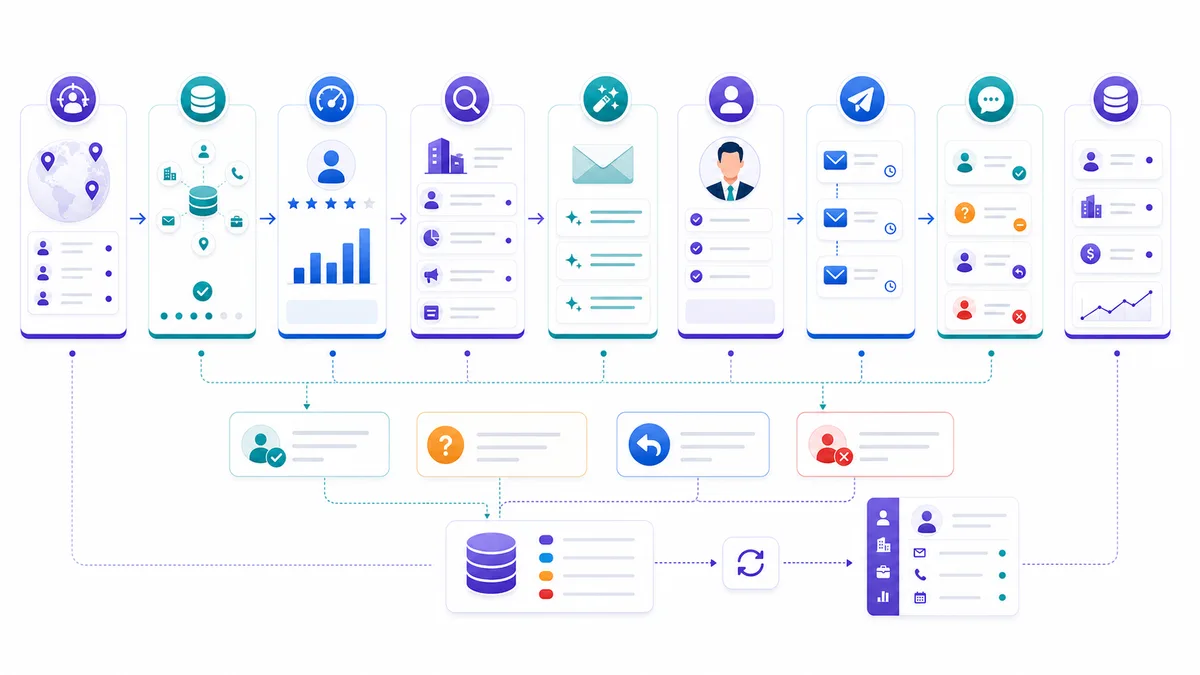
8. Reply Classification and Next Best Action
Replies are where automation often breaks. A positive reply can sit in an inbox. A negative reply can keep receiving follow-ups. A question can get a generic answer.
Trigger: A prospect replies to an outbound email or LinkedIn message.
Data/context: Reply text, original message, campaign, sequence step, prospect profile, CRM status, prior replies, meeting links, unsubscribe terms, and account owner.
AI action: Vera classifies the reply as positive, referral, objection, question, not now, unsubscribe, wrong person, out of office, or negative. It recommends the next action and drafts a response when appropriate.
Human handoff: Hand off immediately for positive replies, buying questions, pricing requests, referrals, objections requiring judgment, legal/security questions, and any unclear unsubscribe intent.
CRM update: Update reply type, sequence status, owner task, meeting intent, objection category, sentiment, and next activity. Stop sequence follow-ups when the reply requires human handling.
Success metric: Reply-to-human handoff time, positive reply conversion, wrong-person referral rate, and missed-positive-reply rate.
Failure guardrail: Treat unsubscribe and negative intent conservatively. If the reply is ambiguous, pause automation and ask for human review rather than continuing the sequence.
9. CRM Field Hygiene and Activity Capture
Many sales teams lose trust in AI because the CRM is already messy. AI workflows should improve the record, not create a second layer of unverified noise.
Trigger: A lead, account, or opportunity has missing fields, conflicting values, stale status, or uncaptured activity.
Data/context: CRM properties, email activity, meeting notes, chat transcripts, enrichment data, ownership rules, lifecycle stages, and field confidence levels.
AI action: The shared CRM workflow suggests updates, identifies conflicts, fills low-risk missing fields, and creates a review queue for material changes.
Human handoff: Human approval is needed for ownership changes, lifecycle stage changes, opportunity amount, close date, legal entity, disqualification reason, and any field that affects compensation or reporting.
CRM update: Update approved fields, create a data-quality note, log source and confidence, and mark unresolved conflicts.
Success metric: Required-field completeness, duplicate rate, stale-record rate, and percentage of activities captured automatically.
Failure guardrail: Never let AI silently overwrite high-value fields. Use source-aware updates and keep a clear audit trail.
10. Deal Risk and Follow-Up Rescue
AI sales workflows should not stop after a meeting is booked. Many deals stall because next steps are vague, stakeholders disappear, or no one notices a response gap.
Trigger: An opportunity has no next activity, no reply after a key meeting, delayed buyer response, missing stakeholder, inactive champion, or stage age above threshold.
Data/context: Deal stage, last activity, meeting notes, open tasks, stakeholders, objections, next steps, proposal status, and engagement history.
AI action: The shared workflow detects the risk, explains the likely cause, drafts a follow-up, suggests a manager intervention, or creates a task for the owner.
Human handoff: The account owner decides how to handle strategic accounts, negotiation issues, procurement blockers, and executive follow-up.
CRM update: Add risk reason, next best action, follow-up task, stakeholder gap, manager alert if needed, and updated close-plan notes.
Success metric: Stalled deal rate, time with no next step, stage aging, follow-up completion rate, and opportunity progression after rescue.
Failure guardrail: Do not send late-stage follow-ups automatically for complex deals. Draft for the rep and require approval when the message affects negotiation, pricing, procurement, or executive relationships.
11. Dormant Lead Reactivation
Your CRM probably contains leads that were not bad. They were just mishandled, mistimed, or never followed up with a relevant reason to restart.
Trigger: A lead or account has been inactive for a defined period, previously showed interest, fits the ICP, or matches a new campaign offer.
Data/context: Original source, last conversation, reason lost or stalled, prior objections, company changes, new signals, product interest, owner, and opt-out status.
AI action: Vera segments dormant records, suppresses bad-fit or opted-out contacts, finds a current reason to reconnect, and drafts a reactivation message.
Human handoff: Human review is needed for previous opportunities, named accounts, sensitive lost reasons, or large accounts with relationship history.
CRM update: Add reactivation segment, last-known objection, new signal, outreach eligibility, campaign assignment, and reactivation outcome.
Success metric: Reactivated conversation rate, meeting rate from dormant leads, suppression accuracy, and pipeline influenced by reactivation.
Failure guardrail: Do not restart outreach when the record shows unsubscribe, explicit rejection, legal restriction, active opportunity ownership, or unresolved customer conflict.
How to Decide Which AI Sales Workflow to Build First
Do not start with the workflow that sounds most advanced. Start where pipeline is visibly leaking.
Use this order:
- High-intent inbound first. If demo requests wait, fix Alim-style response, qualification, routing, and meeting prep before optimizing cold outreach.
- Outbound data quality second. If Vera is sending to bad-fit leads, fix sourcing, enrichment, scoring, and suppression before copywriting.
- Human handoff third. If reps do not trust the AI summary or next step, fix handoff quality before adding more automation.
- CRM hygiene fourth. If reporting is unreliable, fix source-aware field updates and activity capture.
- Deal risk and reactivation fifth. Once the front of the funnel works, use AI to rescue stalled opportunities and dormant records.
This is also how to avoid the common trap: automating a broken process. If your lead stages are unclear, your ICP is vague, or your CRM owner rules are political, AI will expose the mess faster. It will not magically create operating discipline.
For teams comparing tools, this is the useful distinction:
| Need | Best workflow owner |
|---|---|
| Respond to inbound leads, qualify, route, and book | Alim inbound workflows |
| Source outbound leads, enrich, score, research, and draft outreach | Vera outbound workflows |
| Sync fields, summarize handoffs, detect deal risk, and report | CRM/handoff shared workflows |
| Close complex deals, negotiate, manage relationships | Human sales team |
If you want a broader tool comparison before designing the workflow stack, read GrowthEffect’s guide to AI sales automation tools. If you want the implementation path, see how to automate sales with AI.
Implementation Checklist for AI Sales Workflows
Before turning on any AI sales workflow, answer these questions.
Workflow definition
- What exact event triggers the workflow?
- Which object is the workflow built around: lead, contact, account, opportunity, conversation, or task?
- What is the expected output?
- What should never happen automatically?
Data readiness
- Which fields are required?
- Which fields are trusted?
- Which fields can AI suggest but not overwrite?
- Which data sources are allowed?
Human review
- Which conditions require human approval?
- Who receives the handoff?
- What summary format do reps need?
- When should automation pause?
Measurement
- What is the primary success metric?
- What is the quality metric?
- What is the risk metric?
- Which CRM dashboard will show the result?
Governance
- Are opt-outs and suppressions checked?
- Are unsupported claims blocked?
- Are source links and timestamps retained?
- Can the team audit what AI changed?
Apollo’s documentation for creating workflows is useful here because it starts with enrollment triggers and workflow actions. HubSpot’s workflow guidance is also useful because it stresses goals, data fields, ownership, and reporting. Salesforce’s Agentforce Sales positioning reinforces a separate point: AI agents become more useful when they work inside governed CRM context, not as disconnected side tools.
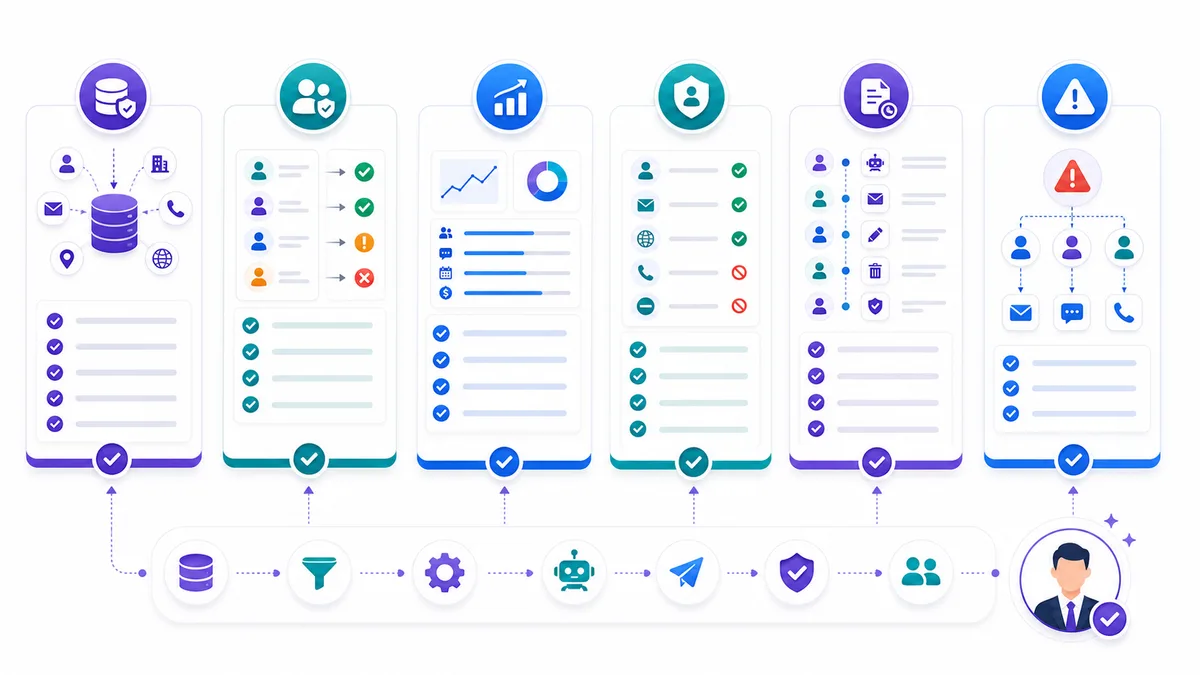
Where GrowthEffect Fits
GrowthEffect is built around a practical view of AI sales workflows: companies should hire digital sales workers for first-touch sales work, then keep humans focused on closing.
Alim is the inbound operator. He handles response, qualification, routing, meeting booking, and CRM handoff. That makes him the right owner for workflows 1, 2, and 3.
Vera is the outbound operator. She handles sourcing, enrichment, scoring, research, personalized outreach, follow-up, and reactivation. That makes her the right owner for workflows 4, 5, 6, 7, 8, and 11.
The shared layer is CRM and human handoff. It supports both Alim and Vera with summaries, field updates, owner assignment, deal-risk alerts, and reporting. That makes it the right owner for workflows 9 and 10.
This separation keeps the sales system clean. Inbound leads get fast human-quality response. Outbound campaigns get better targeting and safer personalization. Reps get context-rich handoffs instead of another dashboard to check.
It is not the right fit for every company. If you have no clear ICP, no repeatable offer, no sales motion, or no willingness to define handoff rules, start there first. AI sales workflows need operating rules to perform well.
If you do have a sales motion and want Alim and Vera mapped to your funnel, book a GrowthEffect demo. Bring one inbound lead path, one outbound campaign, and one CRM handoff problem. Those three examples are enough to see where AI can remove real pipeline friction.
FAQ
What are AI sales workflows?
AI sales workflows are repeatable sales processes where AI uses sales data, buyer context, and business rules to perform a defined task such as qualifying leads, enriching records, drafting outreach, classifying replies, updating CRM fields, or preparing human handoffs.
What is the best first AI sales workflow for a B2B team?
For most B2B teams, the best first workflow is inbound demo request qualification and routing. It is high-intent, easy to measure, and directly tied to revenue leakage. If inbound volume is low, start with outbound enrichment and fit scoring before automating message sends.
Should AI sales workflows send messages automatically?
Sometimes, but only after the workflow has proven data quality, suppression checks, claim safety, and routing logic. New campaigns, strategic accounts, pricing-sensitive messages, and ambiguous replies should require human review before sending.
How are AI sales workflows different from normal CRM automation?
Normal CRM automation follows fixed if-then rules. AI sales workflows can interpret context, summarize conversations, score fit, draft personalized messages, classify replies, and recommend next actions. The best systems still use CRM rules for governance and auditability.
Which workflows belong to Alim and which belong to Vera?
Alim owns inbound workflows: response, qualification, routing, booking, and CRM handoff. Vera owns outbound workflows: sourcing, enrichment, scoring, research, personalization, follow-up, and reactivation. Shared CRM workflows handle summaries, field updates, deal risk, and reporting.
Source List
- HubSpot: 11 AI-powered sales automation workflows that work for every funnel stage
- Apollo: Workflows Overview
- Apollo: Create a Workflow
- Salesforce: Agentforce Sales
- Federal Trade Commission: CAN-SPAM Act: A Compliance Guide for Business
Leave a Reply