
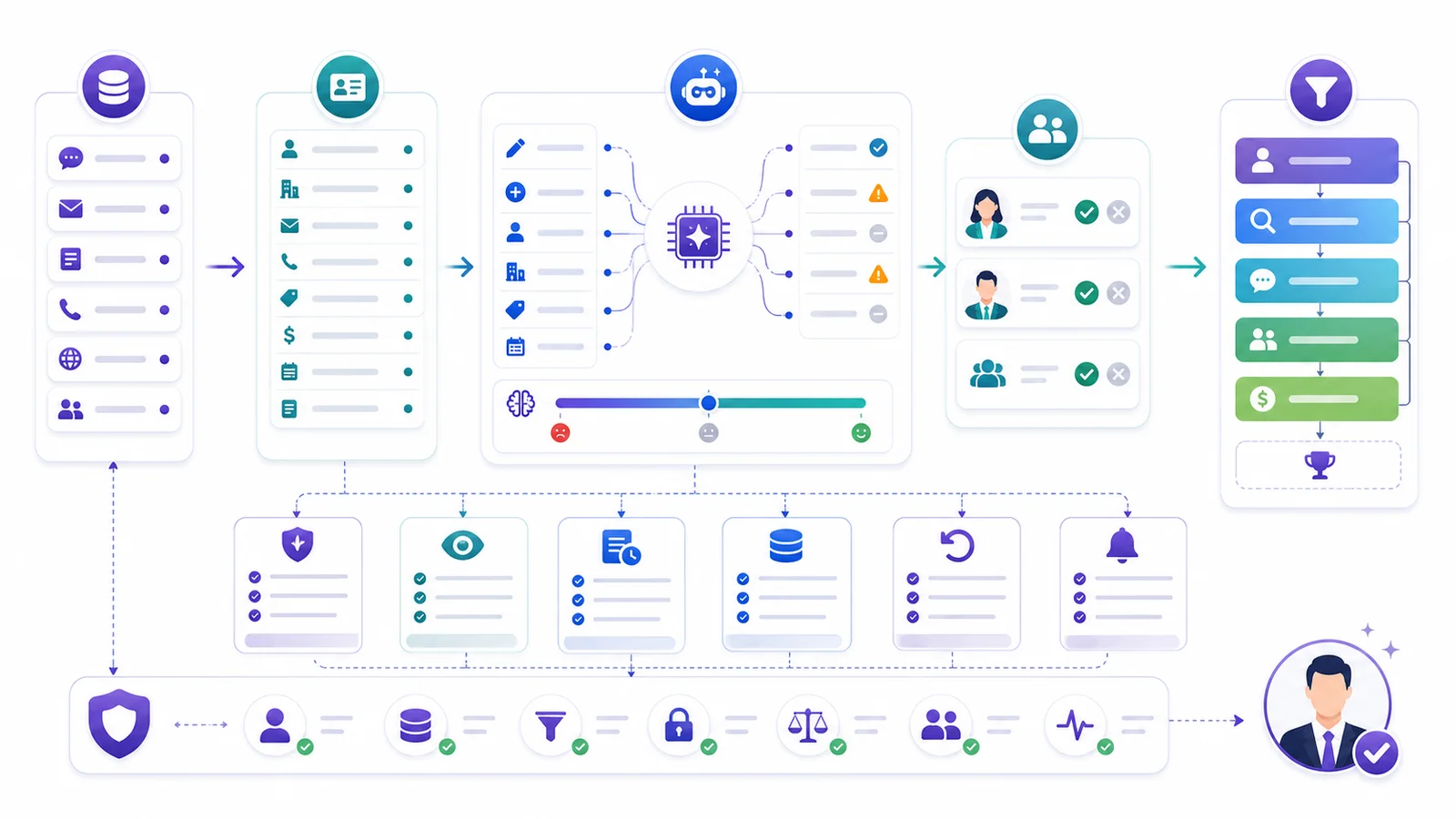
AI CRM automation should enrich inbound leads and route them into CRM automatically without turning the system into a black box. If you are asking how to design that workflow, the core sequence is: capture the lead, match identity, enrich company and contact data, classify fit and urgency, route by ownership rules, create a human handoff, and log every change for audit. The right model does not let AI run the pipeline alone. It gives AI narrow jobs, clear field ownership, confidence thresholds, audit logs, suppression rules, and human handoffs for deal strategy.
That framing still matches the strongest stored Search Console evidence available in this remote July 14, 2026 run. The page continues to surface for high-intent workflow queries around enriching inbound leads, routing them into a CRM automatically, and preserving human control over the handoff.
Start by automating repetitive CRM work that slows revenue down: missing fields, duplicate records, late routing, stale lifecycle stages, manual research, and forgotten follow-ups. Keep humans in control of account strategy, pricing judgment, complex negotiation, and final opportunity decisions.
Key Takeaways
– AI CRM automation should make the CRM more trustworthy, not less understandable.
– Automate field hygiene, enrichment, routing, qualification summaries, follow-up triggers, duplicate checks, and lifecycle updates with explicit rules.
– Keep humans in charge of deal strategy, sensitive account decisions, pricing, legal commitments, and late-stage opportunity judgment.
– Use confidence thresholds, field ownership, audit logs, rollback, suppression lists, and duplicate control before scaling automation.
– In GrowthEffect, Alim handles inbound CRM qualification and handoff updates; Vera handles outbound enrichment, research, follow-up, and CRM reactivation. Human closers keep the deal.
How to Design an AI Workflow to Enrich Inbound Leads and Route Them Into CRM
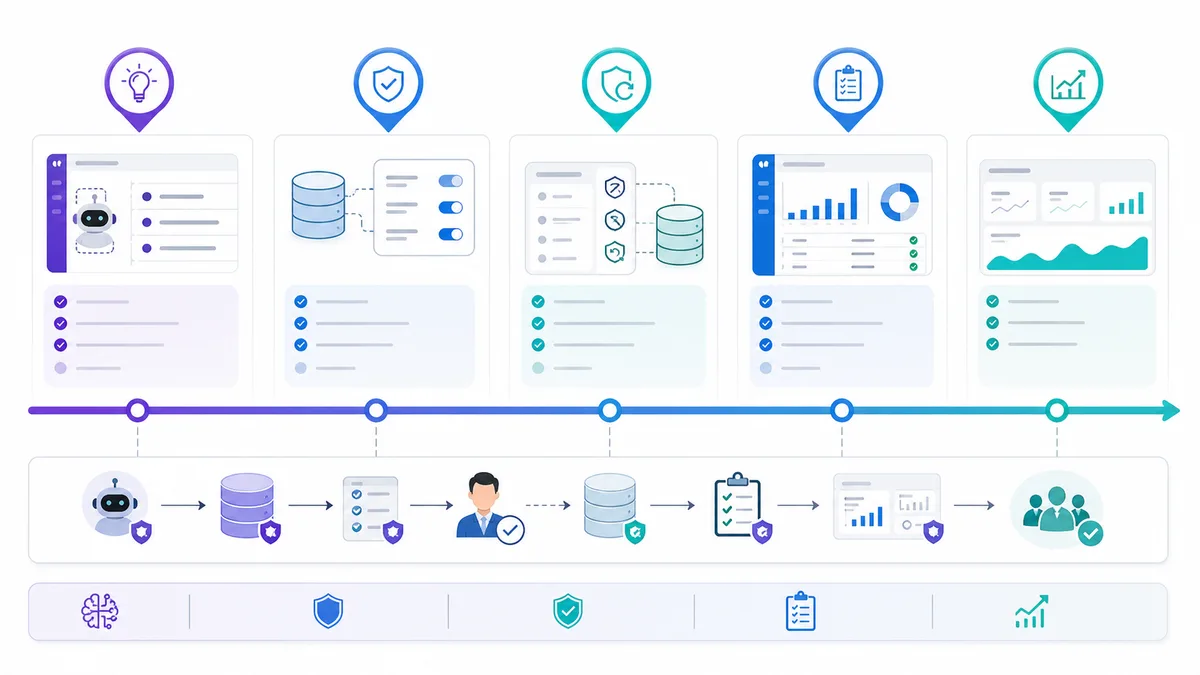
Use this order for the workflow:
- Capture the inbound lead and normalize the source.
- Match identity and detect duplicates before creating a fresh record.
- Enrich company, role, and contact fields with confidence labels.
- Classify fit, urgency, product interest, and next-step readiness.
- Route the lead using territory, owner, and handoff rules.
- Create a sales-ready summary with source, confidence, and recommended action.
- Log every update so RevOps can audit or roll back the workflow.
| Workflow stage | Let AI handle | Require human review when |
|---|---|---|
| Identity and enrichment | Duplicate checks, company/contact enrichment, source normalization | The match is ambiguous or a trusted field would be overwritten |
| Qualification and routing | Fit classification, urgency tagging, owner suggestion, next-step summary | A strategic account, territory conflict, or sensitive buyer question appears |
| CRM updates | Low-risk field updates, task creation, activity summary, handoff notes | Opportunity stage, pricing context, forecast impact, or account ownership changes |
Related GrowthEffect workflow
If inbound leads are waiting too long or reaching sales without qualification, Alim is the GrowthEffect AI sales representative built for instant response, qualification, routing, meeting booking, and CRM handoff.
Use this path when the revenue leak is slow response or inconsistent lead qualification.
If the CRM problem is outbound enrichment, stale records, follow-up discipline, or reactivation, Vera is the outbound AI sales representative built for sourcing, enrichment, research, scoring, follow-up, and CRM handoff. For this cluster, the recommended lead magnet is the CRM Handoff and Field Ownership Checklist.
Recommended follow-up path: a workflow-mapping session that reviews one inbound lead path, one routing rule set, one duplicate-control rule, and one human handoff contract before automation is expanded further.
What AI CRM Automation Means
AI CRM automation is the use of AI and workflow rules to keep your customer relationship management system current, useful, and connected to sales execution. It sits between raw buyer activity and human sales judgment.
A basic CRM workflow might assign a new lead to a rep when a form is submitted. AI CRM automation goes further. It can read the form, enrich the company, classify fit, summarize intent, detect missing fields, suggest a lifecycle stage, route the lead, create a next-step task, and flag whether a human should review the record before any outbound message or sales handoff happens.
That is useful only if the system is controlled.
The mistake is treating AI CRM automation as permission to automate every pipeline decision. A CRM is not just a database. It is the operating record for revenue. If an automation overwrites ownership, changes lifecycle stages without context, creates duplicates, or sends follow-up to suppressed contacts, the team loses trust in the system.
The control-first approach is different:
| Question | Control-first answer |
|---|---|
| What can AI change? | Only fields it owns or fields approved for assisted updates |
| When can AI act automatically? | When confidence is above threshold and no suppression rule is triggered |
| When should a human approve? | Low confidence, high value, sensitive account, ambiguous identity, or deal-stage change |
| How do you audit it? | Every AI update has source, timestamp, confidence, reason, and previous value |
| How do you reverse it? | Rollback rules restore previous values and suppress repeated bad actions |
This is the practical difference between automation and loss of control.
Official CRM and sales platforms are moving in the same direction. HubSpot’s sales automation tools focus on workflows, lead rotation, tasks, sequences, and CRM-connected follow-up. Salesforce Agentforce Sales frames AI agents as a digital workforce that handles prospecting, research, nurturing, and prep while sellers focus on relationships and closing.
Those platforms show the direction of the category. The operator question is still yours: which CRM actions are safe to automate, which need review, and which should stay human?
Why Sales Teams Lose Control When CRM Automation Goes Wrong
CRM automation usually breaks in quiet ways. Nobody notices on the first day. A few records get the wrong lifecycle stage. A duplicate account is created because a domain did not match. A rep loses ownership because a routing rule fired after enrichment. A cold prospect receives a message even though they were already in an open opportunity. A field gets overwritten by lower-confidence data.
Then the sales team stops trusting the CRM.
That trust loss is expensive because reps build workarounds. They keep side spreadsheets, ignore automated tasks, avoid updating fields, or check every AI suggestion manually. The automation still exists, but it no longer creates leverage.
The failure usually comes from seven issues:
| Failure mode | What goes wrong | Control to add |
|---|---|---|
| No field ownership | Enrichment tools, reps, forms, imports, and AI fight over the same values | Define the source of truth, allowed updater, overwrite rule, confidence threshold, and rollback for each material field |
| No confidence thresholds | A strong domain match and a weak buying-timeline guess are treated the same | Auto-update high-confidence, low-risk facts; queue medium-confidence items; block low-confidence guesses |
| No audit trail | RevOps cannot explain why a field, owner, score, or lifecycle stage changed | Log record ID, field, old value, new value, source, confidence, workflow version, timestamp, and actor |
| No suppression logic | AI contacts customers, open opportunities, opt-outs, or strategic accounts | Block risky actions before sending, routing, re-enrolling, or ownership changes |
| No duplicate control | Automation creates or updates the wrong record | Auto-link exact email matches, suggest domain/company matches, and review ambiguous people, subsidiaries, or parent-company cases |
| No lifecycle governance | AI changes stages that drive reporting and forecast quality | Let AI recommend MQL/SQL movement, but protect opportunity creation, forecast stages, and closed-lost reasons |
| No rollback plan | A bad workflow creates work that is hard to reverse | Store previous values, affected records, workflow version, timestamp window, and owner notification rules |
When email automation is part of the CRM workflow, suppression and sender safety matter even more. Google’s Email sender guidelines emphasize authentication, accurate headers, spam-rate management, unsubscribe handling for bulk senders, and gradual sending practices. That does not mean every CRM task is an email campaign. It means sales automation should respect consent, deliverability, and identity controls before it triggers messages.
The Control-First CRM Automation Model
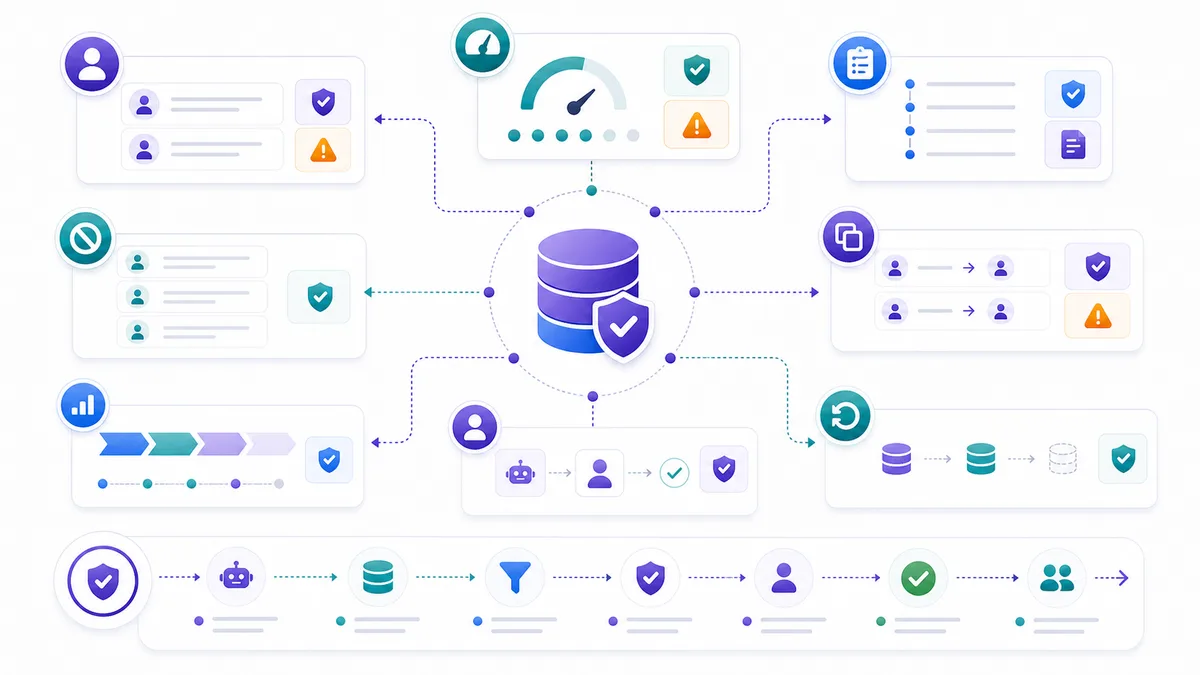
The control-first model is a practical way to decide what AI can do in your CRM. Use it before you launch any workflow:
| Layer | What it controls | Practical rule |
|---|---|---|
| Data intake | Forms, chat, demo requests, email replies, LinkedIn activity, outbound leads, enrichment, calendar events, call notes, imports, and product signals | Give every source a trust level |
| Identity and duplicate control | Whether the person and company already exist | Check identity before creating, routing, enriching, enrolling, or changing lifecycle stage |
| Field ownership | Which system can update which CRM value | Define source of truth, updater, overwrite rule, threshold, audit, and rollback |
| Confidence thresholds | Whether AI can act, suggest, or stop | Auto-update low-risk high-confidence facts; review medium-risk items; block low-confidence guesses |
| Human handoff | When judgment is needed | Escalate strategic accounts, forecast impact, pricing/security asks, conflicting data, suppression triggers, and brand-sensitive actions |
| Audit and rollback | How the team debugs and reverses automation | Log old value, new value, source, confidence, workflow version, timestamp, and actor |
Field ownership is the most important contract. Example:
| Field | Source of truth | AI permission | Human review needed |
|---|---|---|---|
| Company domain | Verified email or enrichment | Auto-fill if empty | If replacing existing domain |
| Industry | Enrichment plus human correction | Auto-fill with confidence | If confidence is medium or lower |
| Lead score | AI scoring model | Auto-update | If score conflicts with owner note |
| Buying timeline | Conversation data | Suggest only | Always before opportunity creation |
| Owner | Routing table | Auto-assign under rules | Strategic accounts or territory conflict |
| Opt-out status | Consent/unsubscribe system | Never override | Always |
Human handoff should also be structured. Bad handoff: “Please review this lead.” Good handoff: “Inbound demo request from a 120-person B2B SaaS company. AI classified as high fit because the buyer asked about outbound pipeline generation and CRM integration. Missing buying timeline. Existing account owner conflict with EMEA territory rule. Recommend sales manager review before assignment.”
That is the kind of AI CRM automation sales teams can actually use.
What to Automate in Your Sales Pipeline
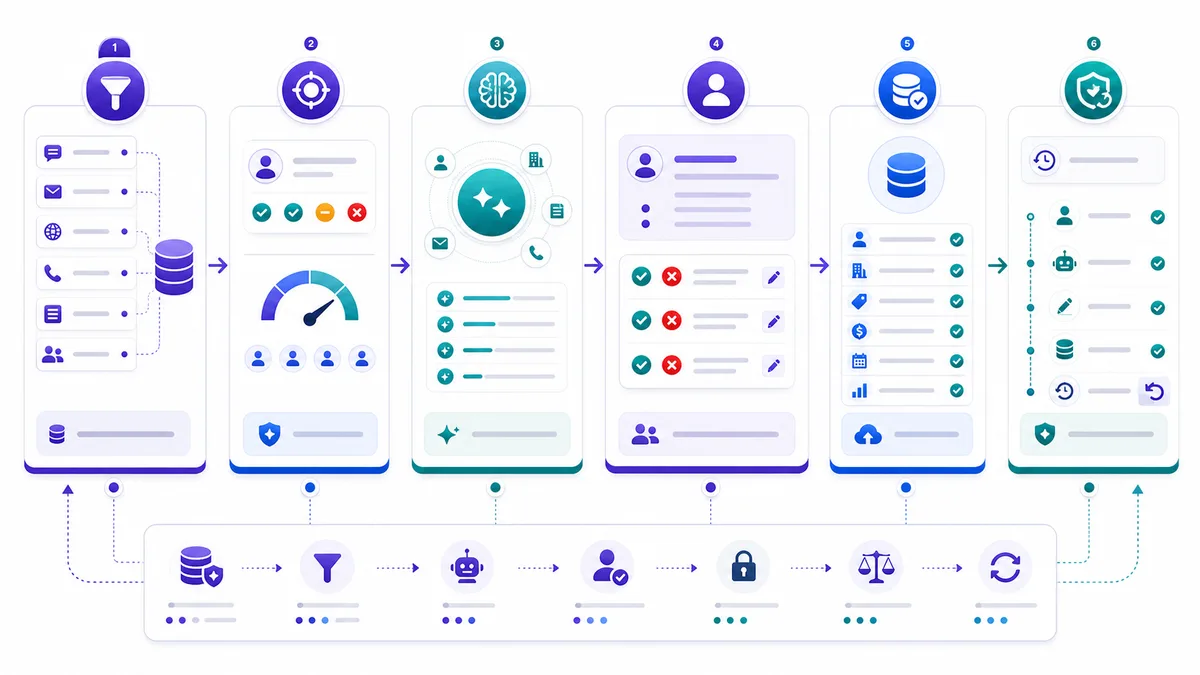
The safest way to start is not to automate “sales.” Automate a specific CRM bottleneck.
Below is a sample CRM automation map B2B teams can adapt.
| Pipeline moment | AI CRM automation | Auto or review? | Human stays responsible for |
|---|---|---|---|
| New inbound form | Enrich company, classify intent, update source fields | Auto if match is high confidence | Sales strategy for qualified leads |
| Inbound qualification | Summarize answers, update fit and urgency, route lead | Auto for simple routing; review for strategic accounts | Discovery, pricing, negotiation |
| Outbound sourcing | Create lead/account records, tag campaign, check duplicates | Review sample before scale | ICP strategy and offer selection |
| Lead enrichment | Add firmographics, LinkedIn/company context, confidence | Auto-fill empty low-risk fields | Resolving identity ambiguity |
| Lead scoring | Score fit, intent, role, and readiness | Auto with explanation; review edge cases | Priority decisions on named accounts |
| Follow-up | Trigger task or sequence based on activity and rules | Auto if suppression clear | Sensitive or custom follow-up |
| Lifecycle stage | Recommend MQL/SQL/opportunity movement | Review for major stage changes | Forecast and opportunity creation |
| Duplicate control | Detect likely duplicates and suggest merge | Auto only for exact matches | Complex merge decisions |
| Dormant CRM reactivation | Find stale records, enrich, propose outreach angle | Review before outreach | Account strategy and suppression exceptions |
| Meeting prep | Summarize CRM history, notes, pain, objections | Auto | Live discovery and closing |
This map is deliberately conservative. You can loosen rules later when acceptance rates are high and rollback is easy. Starting too aggressively is how teams lose trust.
The first automations should be CRM hygiene, routing support, enrichment, follow-up tasks, and sales prep. Let AI detect missing domains, enrich empty fields, tag source campaigns, flag duplicates, summarize meetings, prepare next-step tasks, and assemble pre-call context. Use deterministic routing rules for territory, company size, product interest, language, source, and existing ownership; if rules conflict, escalate instead of guessing.
Follow-up automation needs the same restraint. AI can detect that a follow-up is due, draft the next message, or create a task. It should not automatically message suppressed contacts, current customers, open opportunities, or high-value accounts without the rules you already defined. If email is involved, connect follow-up to unsubscribe, bounce, sender-domain, and consent controls.
Enrichment should also remember its source. Store provider, timestamp, confidence, previous value, and human verification status. A prospect can change jobs, a company can rebrand, and a domain can redirect. If the CRM only stores the latest value, automation cannot explain why the record changed.
What to Keep Human
The goal of AI CRM automation is not to replace sales leadership or closing judgment. It is to remove the admin and coordination work that keeps humans away from judgment.
Keep humans responsible for deal strategy, pricing and contract commitments, forecast-critical stage changes, sensitive accounts, and brand-sensitive messaging. AI can summarize context, suggest next steps, draft follow-up, and retrieve approved content. It should not decide who to multi-thread, whether to discount, how to handle procurement, whether an opportunity is real, or when to walk away.
Opportunity creation, close dates, late-stage movement, and closed-lost reasons affect forecast quality, so human owners should confirm material pipeline changes. Strategic accounts, current customers, competitors, partners, investors, and regulated accounts also need stricter approval rules. A single bad automated touch to the wrong account can create more damage than a hundred clean CRM updates create value.
How GrowthEffect Splits CRM Automation Between Alim, Vera, and Human Closers
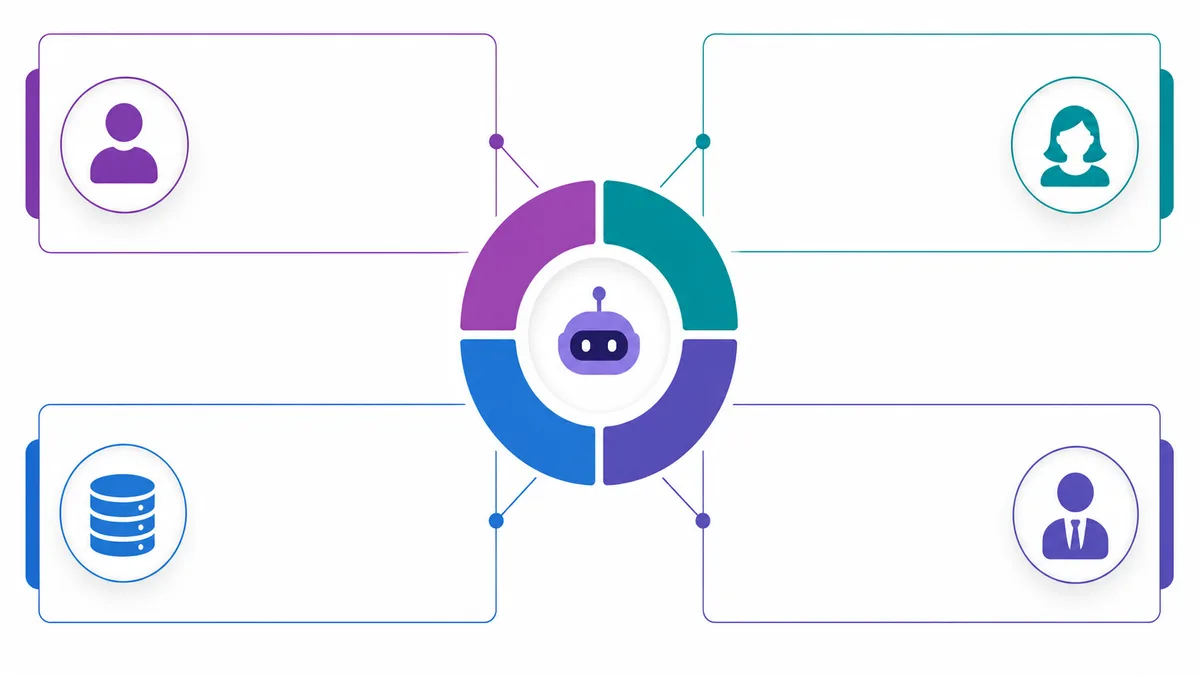
GrowthEffect treats AI CRM automation as part of an AI sales team, not a generic workflow layer. The split matters because inbound and outbound CRM jobs are different.
Alim Handles Inbound CRM Updates and Qualification Handoff
Alim, GrowthEffect’s inbound AI sales representative, is the right fit for inbound CRM automation.
Alim’s CRM role can include:
- responding to inbound leads;
- asking qualification questions;
- summarizing buyer intent;
- updating CRM qualification fields;
- tagging source and product interest;
- routing the lead;
- creating handoff notes;
- preparing meeting context;
- moving qualified inbound leads toward a human closer.
Alim should not be treated as an outbound prospecting tool. Inbound leads already raised their hand. The CRM automation problem is speed, qualification, routing, and handoff quality.
Vera Handles Outbound Enrichment, Research, Follow-Up, and Reactivation
Vera, GrowthEffect’s outbound AI sales representative, is the right fit for outbound CRM automation.
Vera’s CRM role can include:
- sourcing accounts and contacts;
- enriching records;
- checking duplicates and suppression;
- researching accounts;
- scoring fit;
- selecting outreach angles;
- drafting personalized email and LinkedIn messages;
- managing follow-up;
- updating outbound activity and CRM context;
- reactivating dormant CRM records when rules allow.
Vera should not be described as an inbound chat agent. Her job is outbound pipeline creation and outbound CRM execution.
Human Closers Keep the Deal
Human closers retain:
- discovery depth;
- account strategy;
- negotiation;
- trust-building;
- pricing judgment;
- procurement;
- late-stage opportunity management;
- close planning.
The clean model is simple:
| Sales motion | AI owner | Human owner |
|---|---|---|
| Inbound response and qualification | Alim | Sales accepts and advances qualified conversations |
| Outbound sourcing, enrichment, research, and follow-up | Vera | Sales shapes ICP, approves strategy, and closes interested accounts |
| CRM governance | AI plus RevOps rules | RevOps owns field policy, audit, and rollback |
| Deal strategy | AI assists with context | Human closer owns decisions |
This separation prevents the most common AI CRM automation mistake: putting every sales task into one generic automation bucket.
Sample AI CRM Automation Map
Use this sample as a starting point for your own CRM design.
| Workflow | Trigger | AI action | CRM update | Control rule | Human handoff |
|---|---|---|---|---|---|
| Inbound lead qualification | Demo form submitted | Alim reads form, enriches company, asks missing questions | Fit, urgency, source, product interest, summary | Auto if identity and source are clear | High-value or ambiguous lead |
| Hot lead routing | Lead reaches hot threshold | Alim recommends owner and next action | Owner, SLA status, next task | Use routing table; no silent strategic-account reassignment | Territory conflict or named account |
| Outbound lead creation | Vera sources target prospect | Vera enriches and checks duplicates | Contact, company, campaign, fit score | Exact match required before auto-create | Ambiguous company/person match |
| Outbound research | Lead passes fit threshold | Vera writes research brief and outreach angle | Research summary, signal, confidence | Do not cite unsupported facts | Strategic or sensitive accounts |
| Follow-up trigger | No reply or buyer activity | AI drafts next step or creates task | Task, sequence status, last touch | Suppression and email safety check required | Custom message or high-value account |
| Lifecycle recommendation | Activity indicates stage change | AI recommends MQL/SQL movement | Suggested stage and reason | Major stage changes require approval | Opportunity creation or forecast impact |
| Duplicate cleanup | Similar record detected | AI suggests match reason | Duplicate flag | Auto only on exact email; otherwise review | Merge decision |
| Dormant account reactivation | No activity for set period | Vera refreshes data and proposes angle | Reactivation status, suppression check, draft | No outreach if customer/open opp/opt-out | Account owner approval |
This map gives RevOps a useful starting contract. It makes each workflow inspectable: trigger, AI action, CRM update, control rule, and handoff.
Implementation Steps for AI CRM Automation
You do not need to rebuild your CRM to start. Pick one pipeline leak: slow inbound response, incomplete fields, duplicate outbound lists, inconsistent follow-up, unreliable lifecycle stages, or dormant CRM records. Do not begin with a full-funnel transformation. Prove the operating model in one workflow first.
For a broader sales automation implementation path, read GrowthEffect’s guide on how to automate sales with AI.
Before building, write a CRM contract:
| Contract item | Decision to make |
|---|---|
| Trigger | What event starts the workflow? |
| Eligible records | Which records can AI touch? |
| Exclusions | Which records must be suppressed? |
| Field permissions | Which fields can AI update, suggest, or never touch? |
| Confidence threshold | What confidence is required for auto-update? |
| Human approval | Which cases require review? |
| Audit log | What source, old value, new value, and workflow version are stored? |
| Rollback | How do you reverse bad updates? |
| Success metric | What improves if the workflow works? |
Start in suggestion mode. Let AI propose field updates, duplicate matches, route changes, or follow-up tasks before it auto-writes material fields. Track accepted suggestions, edits, rejections, false duplicate alerts, routing corrections, and missing data. When acceptance is high and corrections are predictable, automate low-risk fields such as source tag, enrichment timestamp, activity summary, campaign membership, and next-step task.
Do not scale until suppression and rollback are live. At minimum, include opt-out suppression, customer and open-opportunity suppression, duplicate checks, strategic-account approval, sender-safety checks for email, workflow version tracking, and previous field values. Then review weekly with Sales and RevOps: which AI updates were corrected, which rules caused uncertainty, which handoffs helped, and which workflow should stay in review mode.
Common Mistakes and Metrics
The common mistakes are predictable: automating before duplicate cleanup, letting AI overwrite human-verified fields, treating scores as explanations, mixing inbound and outbound logic, sending before suppression checks, reporting on automated lifecycle stages without governance, and skipping human feedback.
Measure the system by CRM quality and sales execution, not by raw AI activity. Useful metrics include:
| Metric | What it tells you |
|---|---|
| Field completion rate | Whether CRM hygiene is improving |
| Duplicate rate | Whether identity control is working |
| Suggestion acceptance rate | Whether AI recommendations are trusted |
| Routing correction rate | Whether lead assignment rules are accurate |
| Follow-up task completion | Whether automation creates usable work |
| Suppression block rate | Whether guardrails are preventing risky actions |
| Rollback count | Whether automation quality is stable |
| Meeting handoff quality | Whether humans receive useful context |
Avoid vanity metrics such as “AI actions executed” unless they connect to quality, speed, or pipeline outcomes.
For adjacent examples, compare this article with GrowthEffect’s guide to AI sales workflows and AI sales automation examples. Those articles focus on sales workflows broadly; this one focuses on CRM control.
FAQ
What is AI CRM automation?
AI CRM automation is the use of AI to enrich records, update fields, qualify leads, route work, summarize activity, trigger follow-up, detect duplicates, and keep CRM data useful. The best version uses rules, confidence thresholds, audit logs, and human handoffs so AI does not become a black box.
Which CRM tasks should be automated first?
Start with low-risk, high-friction work: missing field detection, enrichment of empty fields, source tagging, duplicate alerts, activity summaries, meeting prep, and follow-up task creation. Move into routing, lifecycle recommendations, and outbound triggers only after field ownership and suppression rules are clear.
Should AI automatically update CRM fields?
Yes, but only for fields AI is allowed to own or update under rules. Empty low-risk fields can often be auto-filled when confidence is high. Human-verified fields, ownership, opportunity stages, pricing notes, and sensitive account data should require review or be protected from overwrite.
How do you prevent black-box CRM automation?
Use a control-first model: field ownership, confidence thresholds, source tracking, audit logs, suppression rules, duplicate checks, and rollback. Every important update should show what changed, why it changed, what source supported it, and how to reverse it if needed.
How does AI CRM automation work for inbound sales?
Inbound AI CRM automation focuses on response, qualification, routing, CRM updates, and handoff. In GrowthEffect, that is Alim’s role. Alim can qualify inbound leads, update CRM fields, summarize buyer intent, and route qualified conversations to human sales.
How does AI CRM automation work for outbound sales?
Outbound AI CRM automation focuses on sourcing, enrichment, duplicate checks, suppression, research, scoring, personalized outreach, follow-up, and reactivation. In GrowthEffect, that is Vera’s role. Vera helps create and manage outbound pipeline while humans own strategy and closing.
Does AI CRM automation replace sales reps?
No. It should remove repetitive CRM work and improve pipeline control. Human closers still own discovery, account strategy, negotiation, pricing judgment, procurement, trust, and closing decisions.
Final Takeaway
AI CRM automation works when it makes the CRM more accurate, faster to act on, and easier to audit. It fails when it hides decisions, overwrites trusted data, ignores suppression, or turns lifecycle stages into AI guesses.
Use the control-first model:
- automate repetitive CRM work;
- protect important fields;
- require confidence thresholds;
- log every material change;
- suppress risky actions;
- review ambiguous records;
- preserve human ownership of deal strategy.
That is how B2B teams get the leverage of AI without losing control of the sales pipeline.
If you want to map this to your own CRM, start with Alim for the inbound qualification and routing layer or Vera for outbound enrichment, follow-up, and reactivation. If your team needs the full control model reviewed on real records, book a GrowthEffect demo. Bring one inbound lead path, one outbound campaign, and one CRM field that your team does not trust. Those three examples are enough to see where Alim, Vera, and human closers should each own the workflow.
If you are not sure whether the real leak is routing, response speed, outbound follow-up, or CRM handoff quality, start with the GrowthEffect revenue leak scan before you automate more fields.
Leave a Reply